Menu

We independently review everything we recommend. When you buy through our links, we may earn a commission. Learn more ›

Logitech

Logitech excels in computer peripherals like wireless keyboards, mouse combos, and headsets, delivering reliable connectivity, long battery life, and user-friendly features for PC and laptop users.

44 products Updated April 17, 2026

Logitech Products (44)

1

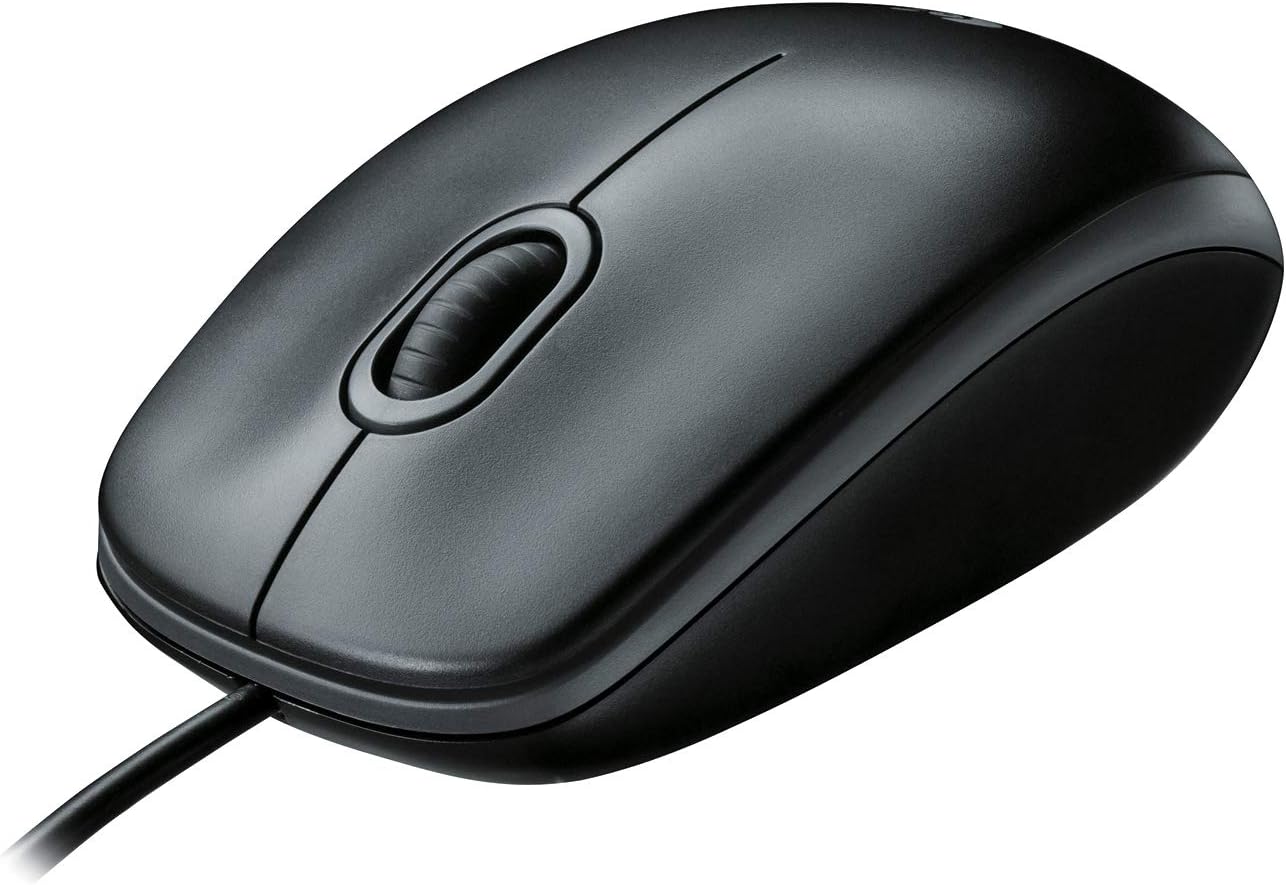
Logitech B100 Wired Optical Mouse - Ambidextrous USB Corded, 800 DPI Precision for PC Laptop Work - Black

Logitech
9.8
AmericanReviews.org score rating is a scoring system developed by our experts. The score is from 0 to 10 based on the data collected by the AmericanReviews.org tool. This score doesn't impact from any manufacturer or sales agent websites. We encourage you to write a review of your experiences with these products. Learn more »
Pros & Cons

Pros

  • Exceptional reliability and longevity for daily office use
  • Comfortable ergonomic fit for extended sessions
  • No batteries required, always ready to go
  • Quiet clicks ideal for shared workspaces
  • Instant zero-setup connectivity

Cons

  • Lacks advanced buttons or gaming features
  • Cord length may limit positioning in large setups
  • Basic scroll wheel can wear over very long-term use
Detailed Review

The Logitech B100 is a straightforward wired optical mouse designed for everyday office and home computer use. It targets budget-conscious users who prioritize reliability over flashy features, making it ideal for students, professionals handling documents, spreadsheets, or web navigation on laptops or desktops.

Standout features include 800 DPI optical tracking for smooth, precise cursor movement, ambidextrous shaping for comfort in either hand, and versatile scrolling with zoom functionality that excels in productivity apps. Real-world performance shines in its plug-and-play simplicity via USB or PS/2, with reviewers praising fluid tracking, responsive buttons, and consistent operation across Windows, macOS, Linux, and Chrome OS without hiccups.

Build quality reflects Logitech's expertise, using durable plastic with recycled materials for an eco-conscious touch. The lightweight design feels solid yet comfortable, with a textured scroll wheel and quiet clicks that suit quiet environments. Many users report it lasting over a year of heavy use before minor wear.

Drawbacks are minimal but include its basic three-button layout without programmable options or side buttons, making it less suitable for gaming, and a cord that some find slightly short for expansive desks.

Overall, the B100 earns its top rankings as a no-nonsense essential. If you want dependable performance without complexity or batteries, this mouse delivers excellent value for daily tasks.

Specifications

Connectivity: USB, PS/2

Movement Detection: Optical, 800 DPI max sensitivity

Buttons: 3

Hand Orientation: Ambidextrous

Compatibility: Windows 10/11+, macOS 10.5+, Linux, Chrome OS; Laptops, PCs

Power: Corded electric, no batteries

Dimensions: 4.41 x 2.44 inches, 0.24 lbs

Color: Black

Warranty: 1-year limited

Buyer Guide

Choose the B100 for basic office needs like email, browsing, and editing if you hate battery swaps and want instant reliability. Skip it for gaming or heavy customization.

Best paired with standard desks; extend cord reach with a USB extension if needed. Verified for Chromebook compatibility.
2

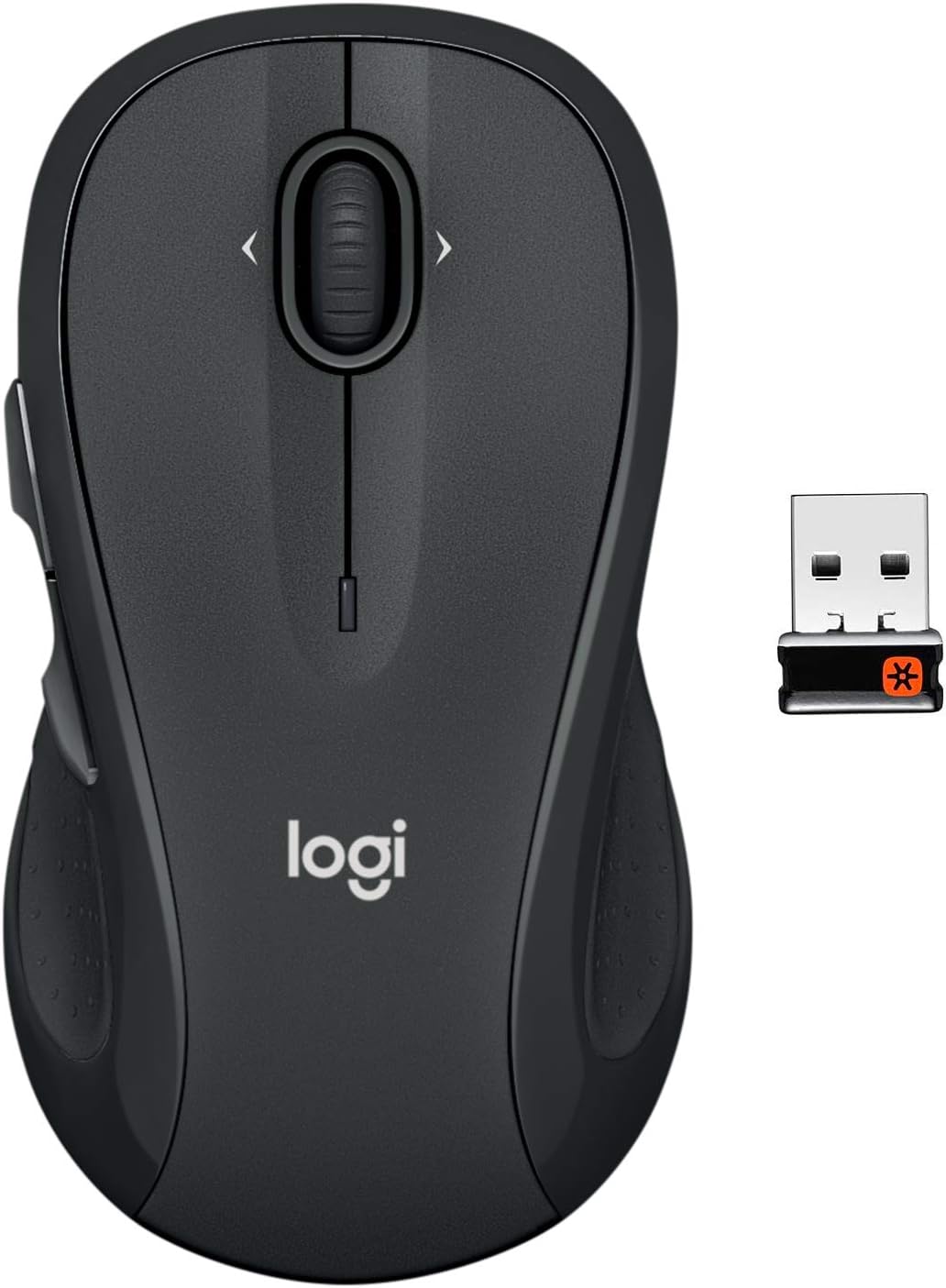
Logitech M510 Wireless Mouse Graphite - Ergonomic 1000 DPI Optical, 24-Month Battery, 7 Buttons, Unifying Receiver for PC/Mac

Logitech
9.8
AmericanReviews.org score rating is a scoring system developed by our experts. The score is from 0 to 10 based on the data collected by the AmericanReviews.org tool. This score doesn't impact from any manufacturer or sales agent websites. We encourage you to write a review of your experiences with these products. Learn more »
Pros & Cons

Pros

  • Exceptional comfort during long sessions
  • Outstanding battery longevity
  • Reliable tracking and extra navigation buttons
  • Easy setup with pre-paired receiver
  • Proven durability over years of use

Cons

  • Designed for right-handed users only
  • Scroll wheel may rattle slightly when idle
  • Requires USB receiver, not Bluetooth
Detailed Review

The Logitech M510 Wireless Mouse is a full-size, ergonomic option tailored for right-handed users who spend hours at their PC, Mac, or Linux setup. It combines comfort, productivity features, and reliability, making it ideal for office work, browsing, or casual computing without wrist strain.

Standout features include back/forward buttons, side-to-side scrolling via the tilt wheel, and zoom functionality, all programmable through Logitech software. The 1000 DPI optical sensor provides responsive tracking on desks, mouse pads, or even fabric, with smooth performance praised in reviews for no jitter. Battery life shines at up to 24 months on two included AA batteries, thanks to an on/off switch and sleep mode.

Build quality features a contoured graphite body with soft rubber grips and broad palm support, weighing just 0.28 pounds for easy handling. The Unifying receiver stores inside the battery compartment for portability, and it pairs effortlessly with up to six Logitech devices. Users highlight its durability, with some lasting years on original batteries.

Minor drawbacks include its right-hand orientation and occasional scroll wheel rattle when not in use. Overall, the M510 earns high marks for value and performance, perfect for anyone prioritizing comfort and longevity over gaming precision.

Verdict: Highly recommended for everyday productivity; a bestseller for good reason.

Specifications

Key Specs:

  • Connectivity: USB Unifying Receiver (2.4 GHz)
  • Sensor: Optical, 1000 DPI
  • Battery Life: Up to 24 months (2 AA included)
  • Buttons: 7 total (3 main + back/forward + tilt wheel)
  • Compatibility: Windows, macOS, Linux, Chrome OS
  • Hand Orientation: Right
  • Range: 10 meters
  • Dimensions: 4.4 x 2.5 inches
  • Weight: 0.28 pounds
  • Color: Graphite
3

Logitech C920 HD Pro Webcam 1080p Full HD Video Calling Recording USB Laptop Desktop Black

Logitech
9.8
AmericanReviews.org score rating is a scoring system developed by our experts. The score is from 0 to 10 based on the data collected by the AmericanReviews.org tool. This score doesn't impact from any manufacturer or sales agent websites. We encourage you to write a review of your experiences with these products. Learn more »
Pros & Cons

Pros

  • Exceptional 1080p video quality and stereo sound
  • Plug-and-play setup works across Windows, Mac, Chrome OS
  • Effective low-light correction and autofocus
  • Sturdy design with long-lasting cord
  • Versatile mounting options

Cons

  • No 4K resolution for ultra-high definition needs
  • Software lacks advanced controls like custom bitrates
  • Wired USB connection limits mobility
Detailed Review

The Logitech C920 HD Pro Webcam is a versatile 1080p camera designed for video calling, streaming, and recording on desktops or laptops. It targets professionals, remote workers, content creators, and anyone needing reliable high-definition video without complexity, supporting platforms like Skype, Zoom, FaceTime, and Google Hangouts across Windows, Mac, Chrome OS, and Android.

Standout features include a five-element glass lens with precise autofocus for sharp, detailed Full HD footage at 30fps, automatic low-light correction for usable video in dim conditions, and built-in dual mics that capture natural stereo sound with noise reduction. Users praise its vibrant clarity, smooth performance in real-world calls, and H.264 compression that offloads processing from your computer for quicker uploads and less lag, even on older machines.

Build quality impresses with a robust universal clip that fits laptops and monitors securely, a tripod-ready base, and a sturdy 6-foot USB cable that holds up over years of adjustment. At 113 grams, it feels premium yet portable, with a sleek black design that blends into any setup.

Minor drawbacks include the lack of wireless connectivity and 4K support, plus Logitech software that offers basic tweaks but misses finer controls like manual bitrate or 4:3 modes. Autofocus can hunt in macro scenarios, and some auto features like white balance may need manual adjustment for perfection.

Overall, the C920 excels as a proven workhorse for everyday professional use, delivering consistent quality that outperforms built-in laptop cams and remains relevant years later. Highly recommended unless you require 4K or advanced customization.

Specifications

Video Resolution: Full HD 1080p (1920x1080) at 30fps

Audio: Dual stereo mics with automatic noise reduction

Lens: Glass with autofocus, f/2.0 aperture

Connectivity: USB 2.0

Compatibility: Windows 7+, macOS 10.10+, Chrome OS, Android 5.0+

Dimensions: 3.7 x 1.7 x 2.8 inches, 113g

Features: H.264 compression, low-light correction, universal clip

4

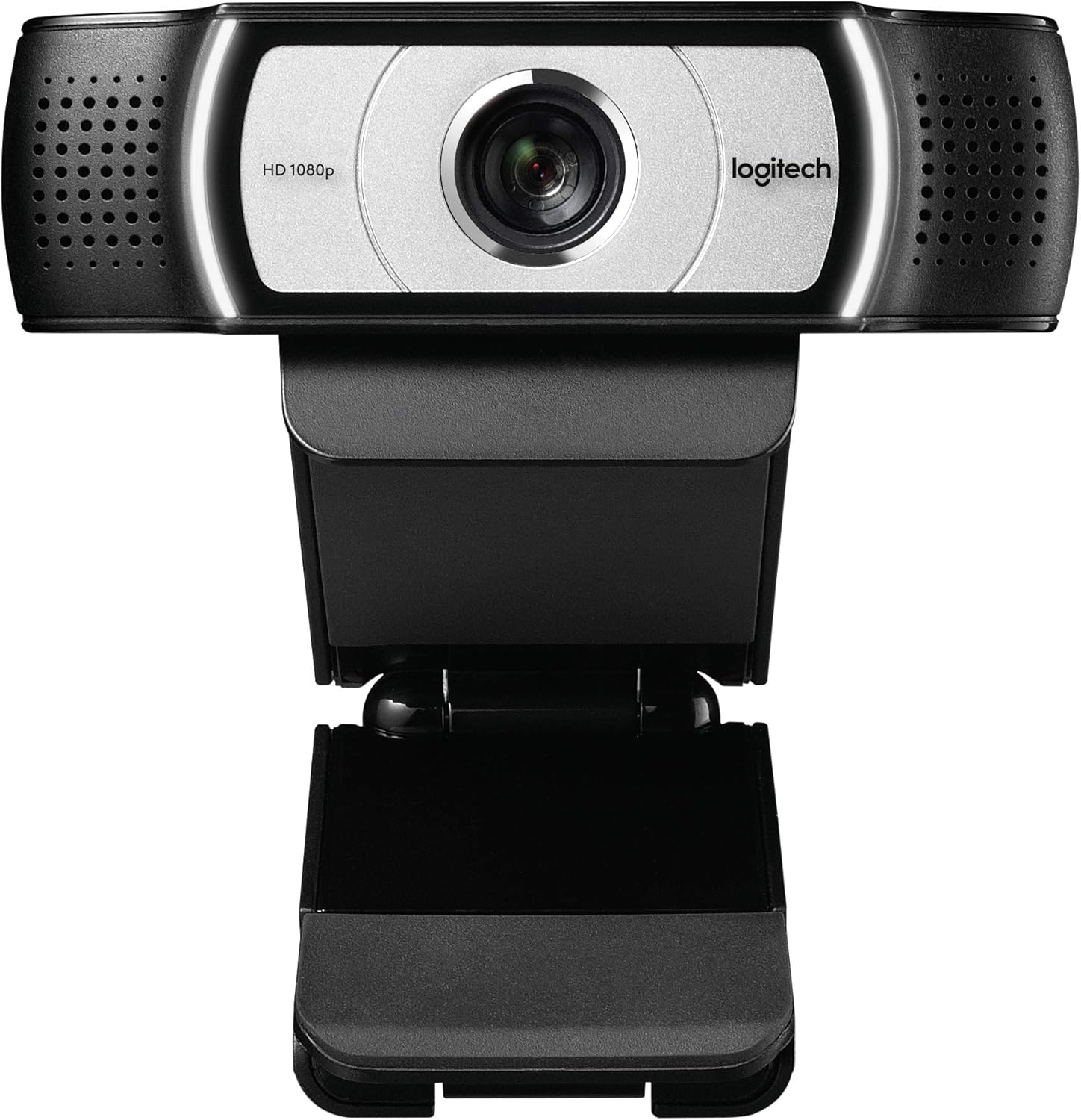
Logitech C930e 1080p HD Business Webcam - 90° Wide View, Low-Light Tech, Skype Lync Certified Black

Logitech
9.8
AmericanReviews.org score rating is a scoring system developed by our experts. The score is from 0 to 10 based on the data collected by the AmericanReviews.org tool. This score doesn't impact from any manufacturer or sales agent websites. We encourage you to write a review of your experiences with these products. Learn more »
Pros & Cons

Pros

  • Superior low-light performance and sharp focus praised in reviews
  • Wide view ideal for group calls and presentations
  • Plug-and-play compatibility across major OS and apps
  • Clear stereo audio with good noise handling
  • Durable build with versatile mounting options

Cons

  • Digital zoom crops image and may reduce effective resolution
  • Wide lens can create slight fish-eye distortion up close
  • Not compatible with Smart TVs, PC/Mac only
Detailed Review

The Logitech C930e is a premium business webcam tailored for video conferencing professionals, remote workers, and teams relying on platforms like Skype for Business, Zoom, Microsoft Lync, and Cisco Jabber. It delivers full 1080p HD video at 30fps with advanced features that make virtual meetings feel more natural and inclusive.

Standout performance comes from its 90-degree field of view, which easily frames multiple people or whiteboards, combined with pan, tilt, and 4x digital zoom for precise control. RightLight 2 technology ensures sharp, glare-reduced video in challenging lighting, while H.264 compression maintains quality on low-bandwidth connections. Dual microphones provide clear stereo audio, and users report seamless plug-and-play setup on both Windows and Mac, with quick autofocus and impressive clarity over built-in laptop cameras.

Design-wise, the compact black unit weighs just 0.35 pounds and features a sturdy adjustable clip for monitors or laptops, plus a tripod-ready base. A flip-down privacy shade and subtle activity LEDs add practical security. Build quality feels solid and professional, though the business packaging skips retail software.

Potential drawbacks include occasional software glitches with zoom controls on some systems and a slight fish-eye effect from the wide lens when positioned close. It also lacks Smart TV compatibility, focusing strictly on computers.

Overall, the C930e excels for business calls where reliability and wide capture matter, earning its reputation as a top choice for serious video collaboration.

Key Specifications

Video: 1080p HD at 30fps, 90° field of view, 4x digital zoom, autofocus, RightLight 2 low-light correction.

Audio: Dual omnidirectional stereo microphones.

Connectivity: USB 2.0 (3.0 ready), UVC H.264 compliant.

Compatibility: Windows 7+, macOS 10.7+, Chrome OS 29+, Skype, Zoom, Lync certified.

Dimensions: 0.95"D x 3.7"W x 3.7"H, 0.35 lbs.

5

Logitech C925e 1080p HD Business Webcam with Autofocus, RightLight 2, Privacy Shutter, Dual Mics - Teams Certified

Logitech
9.8
AmericanReviews.org score rating is a scoring system developed by our experts. The score is from 0 to 10 based on the data collected by the AmericanReviews.org tool. This score doesn't impact from any manufacturer or sales agent websites. We encourage you to write a review of your experiences with these products. Learn more »
Pros & Cons

Pros

  • Exceptional clarity in low light thanks to RightLight 2
  • Reliable built-in mics with good off-axis rejection
  • Easy setup and wide 78-degree field of view
  • Sturdy build with privacy shutter and on-air indicator
  • Certified compatibility with major video platforms

Cons

  • Mount stability issues on laptops with frequent adjustments
  • Microphone performance is solid but not the absolute best
  • Requires USB-A port, limiting newer USB-C only devices
Detailed Review

The Logitech C925e is a compact 1080p business webcam designed for professionals, remote workers, and anyone needing reliable video conferencing from home offices or open workspaces. With its 78-degree field of view, it captures individuals or small groups effectively, pairing perfectly with platforms like Microsoft Teams, Zoom, Google Meet, and Skype.

Standout features include autofocus for always-sharp images, RightLight 2 for automatic low-light correction, and dual omnidirectional microphones that deliver clear audio within one meter. Users praise its vibrant video in varying lighting conditions, from bright sunlight to dim rooms, and the mics handle meetings without echo or excessive background noise. H.264 encoding supports smooth performance on limited bandwidth, while Logi Tune software allows easy customization of settings.

Build quality is solid with a lightweight 0.39-pound design, fixed mount for monitors, and a sliding privacy shutter for security. The green on-air indicator adds professionalism, and USB plug-and-play setup works across Windows, macOS, and Chrome OS without hassle.

Minor drawbacks include less stable mounting on laptop screens during movement and microphones that, while effective, may not match dedicated external options for larger groups. It lacks 4K resolution and water resistance.

Overall, the C925e excels as a versatile, high-value choice for business video calls, earning consistent praise for reliability and ease of use. Highly recommended for daily professional needs.

Key Specifications

Video: 1080p at 30fps, 78° field of view, autofocus, RightLight 2, H.264 encoding

Audio: Dual omnidirectional mics

Connectivity: USB-A plug-and-play

Compatibility: Windows 7+, macOS 10.7+, Chrome OS; certified for Microsoft Teams

Dimensions: 1.3"D x 5"W x 1.2"H, 0.39 lbs

Other: Privacy shutter, Logi Tune customizable

6

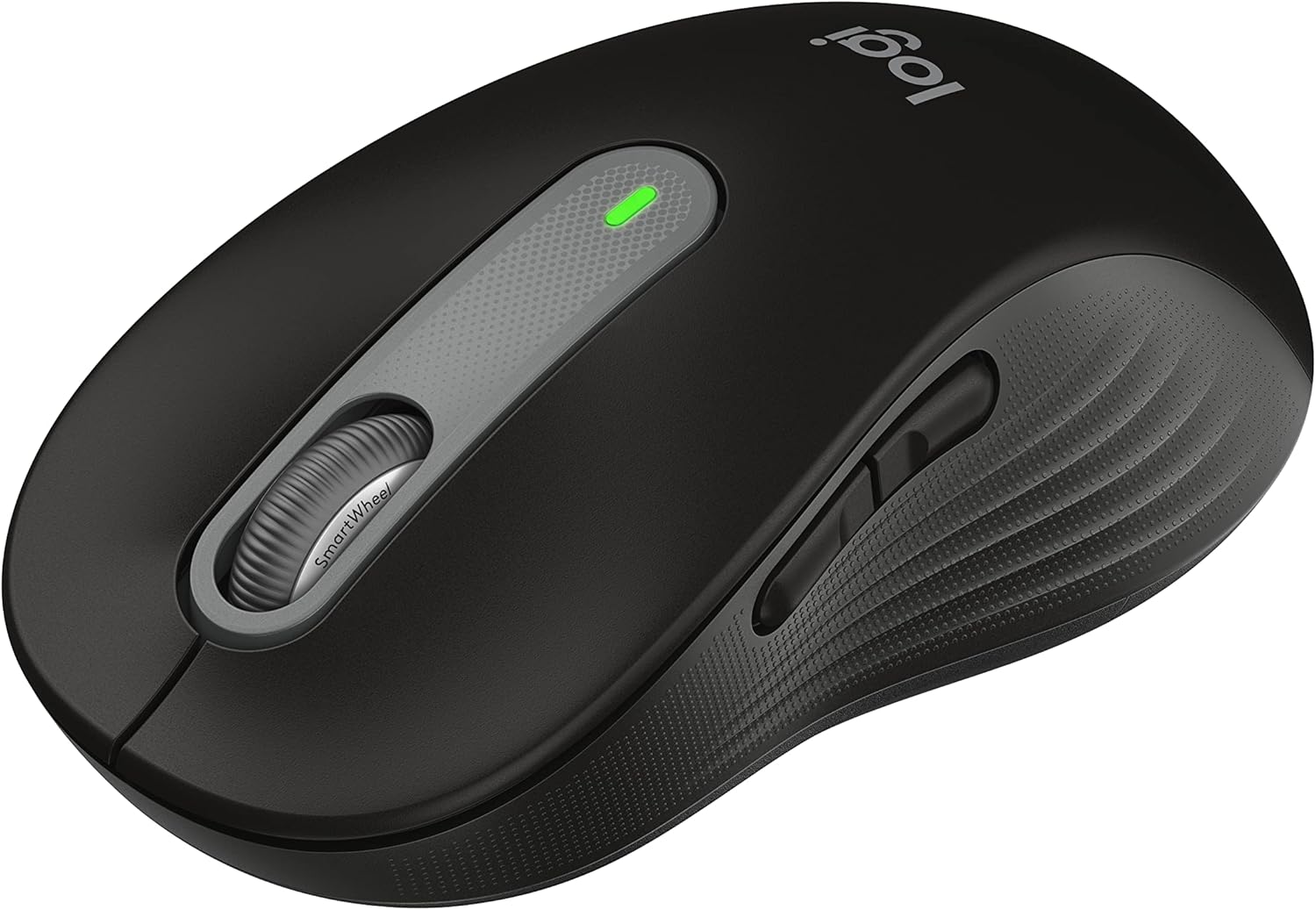
Logitech Signature M550 L Wireless Mouse for Large Hands: Silent Clicks, SmartWheel Scrolling, 24-Month Battery, Bluetooth Black

Logitech
9.8
AmericanReviews.org score rating is a scoring system developed by our experts. The score is from 0 to 10 based on the data collected by the AmericanReviews.org tool. This score doesn't impact from any manufacturer or sales agent websites. We encourage you to write a review of your experiences with these products. Learn more »
Pros & Cons

Pros

  • Exceptional comfort and fit for large hands
  • Ultra-quiet clicks praised in reviews for focus
  • Responsive optical tracking and smooth scrolling
  • Easy plug-and-play setup with reliable connectivity
  • Long-lasting battery minimizes replacements

Cons

  • Lacks side buttons for advanced navigation
  • Single Bluetooth pairing limits quick multi-device switching
  • Right-hand orientation only
Detailed Review

The Logitech Signature M550 L is a full-size wireless mouse designed specifically for users with large hands, delivering enhanced comfort and productivity features. It stands out with its SmartWheel for adaptive scrolling, SilentTouch technology for near-silent clicks, and broad compatibility across Windows, macOS, Linux, Chrome OS, iPadOS, and Android. Perfect for office workers, tablet users, or anyone tired of cramped mice, it prioritizes reliability and ease over gaming extras.

In real-world use, the SmartWheel shines by switching seamlessly from precise line-by-line control for documents to free-spinning speed for web pages, earning praise for smoothness and responsiveness. Silent clicks reduce noise by 90%, allowing focused work at home or in shared spaces, while optical tracking ensures accurate movement up to 30 meters. Reviewers highlight instant Bluetooth pairing and stable Logi Bolt USB connections, with no lag on desktops, laptops, or tablets.

Build quality impresses with a contoured right-hand shape, soft thumb area, and rubber grips that prevent slippage during extended sessions. At 111 grams, it feels substantial yet portable, made partly from recycled plastic for eco-conscious appeal. The included AA battery powers it for up to 24 months, outlasting many competitors.

Drawbacks include the absence of side buttons, which some users miss for quick actions, and single-device Bluetooth limitation, requiring manual re-pairing to switch computers. It may feel narrow for the widest hands despite its large designation.

Overall, the Signature M550 L excels as a no-fuss workhorse for large-handed users seeking quiet, comfortable, long-lasting performance. Highly recommended for daily productivity.

Specifications

Connectivity: Bluetooth Low Energy or Logi Bolt USB receiver

Battery Life: Up to 24 months (1 AA included)

Buttons: 3 (silent clicks)

Hand Orientation: Right, large size

Movement: Optical, 30m range

Compatibility: Windows, macOS, Linux, Chrome OS, iPadOS, Android

Weight: 111.2 grams

Buyer Guide

Choose the M550 L if you have large hands and prioritize comfort over extra buttons. Pair it with the smaller M550 for small-to-medium hands. Ideal for quiet offices; opt for side-button models like M705 if navigation shortcuts matter. Test fit using Logitechs sizing guide for best results.

7

Logitech POP Mouse Mist: Silent Wireless Bluetooth Mouse with Emoji Button, SmartWheel, Multi-Device, 24-Month Battery

Logitech
9.8
AmericanReviews.org score rating is a scoring system developed by our experts. The score is from 0 to 10 based on the data collected by the AmericanReviews.org tool. This score doesn't impact from any manufacturer or sales agent websites. We encourage you to write a review of your experiences with these products. Learn more »
Pros & Cons

Pros

  • Truly silent clicks praised by users in meetings and shared spaces
  • Instant Bluetooth pairing and smooth optical tracking up to 4000 DPI
  • Exceptional 24-month battery life with easy magnetic cover access
  • Multi-device connectivity and Flow for seamless workflow across laptops and tablets
  • Cute Mist color and premium build using recycled plastic

Cons

  • Smaller size may feel cramped for users with large hands
  • Emoji and app-specific shortcuts limited to Windows and macOS
  • Logi Bolt USB receiver sold separately for non-Bluetooth setups
Detailed Review

The Logitech POP Mouse in Mist is a stylish, compact wireless mouse designed for users who want a blend of personality, portability, and performance. Ideal for remote workers, travelers, students, and anyone in shared or quiet environments, it stands out with its silent operation and fun customization options.

Key features shine in real-world use: SilentTouch reduces click noise by 90%, making it perfect for meetings or late-night work without disturbing others. The customizable top button lets you send emojis or shortcuts via Logi Options+ software, adding playfulness to chats. SmartWheel intelligently switches between precise tracking and rapid scrolling, while Bluetooth 5.1 connects to up to three devices like laptops, tablets, or phones across Windows, macOS, iPadOS, Chrome OS, and Android. Users rave about its plug-and-play setup, smooth gliding, and Logitech Flow for copying across screens.

Design-wise, the Mist color offers a soft grey-sand minimalist look with ambidextrous shaping that fits snugly in smaller hands. At 2.9 ounces, it's lightweight and pocket-friendly, built with recycled plastic for durability and sustainability. The 24-month battery life, powered by one included AA, benefits from auto-sleep tech, and the magnetic cover makes swaps simple.

Minor drawbacks include its compact size, which some with larger hands find less comfortable for extended use, and software features like emojis being Windows/macOS-only. No USB receiver is included, though it's compatible separately.

Overall, the Logitech POP Mouse Mist delivers exceptional value for quiet, versatile computing. With a 4.6-star rating from thousands, it's a top pick for those prioritizing silence, style, and multi-device ease over gaming-level ergonomics.

Specifications

Connectivity: Bluetooth 5.1 (Logi Bolt receiver compatible)

Battery Life: Up to 24 months (1x AA included)

Sensor: Optical, 4000 DPI max

Buttons: 4 (top button customizable)

Dimensions: 8.3"L x 6.3"W, 2.9 oz

Compatibility: Windows 10+, macOS 10.15+, iPadOS, Chrome OS, Android

Range: 10 meters

Special Features: SilentTouch, SmartWheel, Multi-device (up to 3), Ambidextrous

Customer Highlights

Users love the 'truly silent' clicks for meetings and travel, calling it 'the BEST, QUIETEST little mouse.' Graphic designers praise multi-device Flow for seamless laptop switching and the satisfying scroll.

Reviewers highlight instant Bluetooth pairing, compact comfort for small hands, and adorable Mist design that 'makes work fun.' Longevity and quality from Logitech build trust for daily use.

Common praise: Quiet operation, easy setup, emoji fun, and 24-month battery. Some note it's best for smaller hands.

8

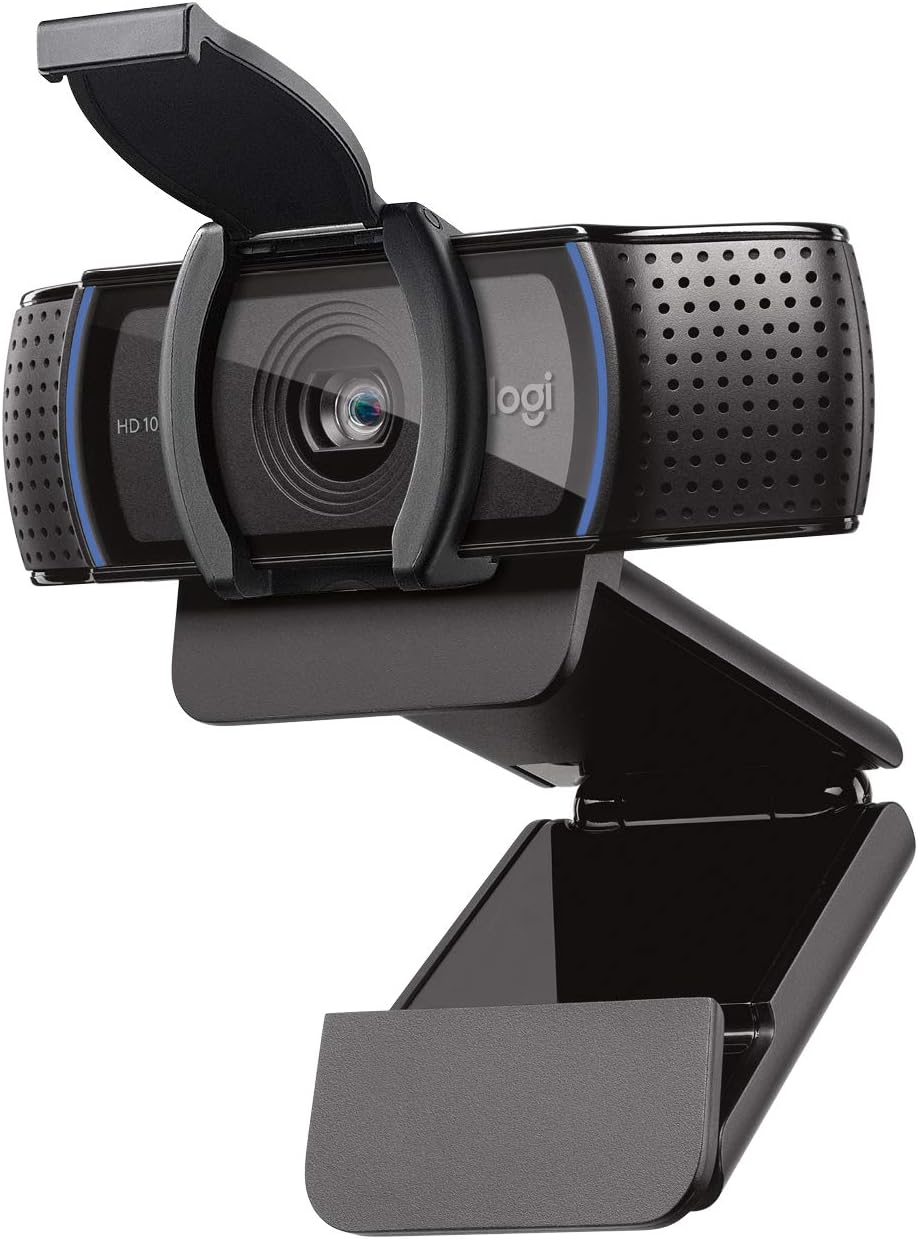
Logitech C920S HD Pro Webcam 1080p with Privacy Shutter, Autofocus, Stereo Audio for Zoom Skype Teams PC Mac

Logitech
9.8
AmericanReviews.org score rating is a scoring system developed by our experts. The score is from 0 to 10 based on the data collected by the AmericanReviews.org tool. This score doesn't impact from any manufacturer or sales agent websites. We encourage you to write a review of your experiences with these products. Learn more »
Pros & Cons

Pros

  • Exceptional 1080p video quality with accurate colors and low-light performance
  • Built-in privacy shutter for easy security
  • Clear stereo audio with noise isolation
  • Broad compatibility across Windows, Mac, Linux, and Xbox
  • Simple clip-on design for versatile mounting

Cons

  • No software included; must download separately for advanced settings
  • Auto exposure can sometimes wash out backgrounds
  • Mic may pick up room noise without software tweaks
Detailed Review

The Logitech C920S HD Pro Webcam is a top-tier choice for anyone upgrading from built-in laptop cameras, ideal for remote workers, online teachers, streamers, or casual video callers using platforms like Zoom, Skype, FaceTime, or Teams. It connects via USB to PCs, Macs, laptops, tablets, or even Xbox, delivering professional-grade performance without fuss.

Standout features include Full HD 1080p video at 30fps with a glass lens, HD autofocus, and automatic light correction that ensures razor-sharp, vibrant images even in dim rooms. Dual stereo mics provide natural-sounding audio with some noise isolation, while the included privacy shutter slides over the lens for peace of mind. Reviews praise its plug-and-play ease on multiple OS including Linux, though some note downloading Logitech software enhances customization like exposure tweaks.

Build quality feels solid with a lightweight 0.36-pound body in black, featuring a sturdy clip mount that attaches securely to monitors or laptops. The 78-degree viewing angle captures your full setup naturally, and smooth zoom adds flexibility. Users love the cross-platform reliability and how it outperforms integrated webcams in color accuracy and low light.

Drawbacks include no bundled software, leading to basic out-of-box settings, and occasional auto exposure issues in backlit scenarios. The mic works well but may need software for voice focus in noisy environments.

Overall, the C920S excels as a reliable, high-value webcam for everyday professional use, earning consistent praise for video and audio quality that punches above its weight.

Key Specifications

Video: 1080p Full HD at 30fps, CMOS sensor, 78-degree viewing angle, H.264 format, auto focus, glass lens (f/2.8, 50mm max focal).

Audio: Dual stereo mics, supports WAV, MP3, AAC.

Features: Light correction, privacy shutter, low-light optimized, USB 2.0 connectivity.

Compatibility: PC, Mac, Linux, Xbox, works with Skype, Zoom, FaceTime, Hangouts.

Dimensions: 5.4 x 3.1 x 5.4 inches, 0.36 pounds.

9

Logitech K780 Multi-Device Wireless Keyboard: Easy-Switch for PC, Mac, Phone, Tablet - Full-Size with Numpad, White Speckles

Logitech
9.8
AmericanReviews.org score rating is a scoring system developed by our experts. The score is from 0 to 10 based on the data collected by the AmericanReviews.org tool. This score doesn't impact from any manufacturer or sales agent websites. We encourage you to write a review of your experiences with these products. Learn more »
Pros & Cons

Pros

  • Seamless multi-device connectivity and switching praised in reviews
  • Quiet, responsive keys ideal for office or home use
  • Long-lasting battery and reliable wireless performance
  • Sturdy build with device cradle enhances workflow

Cons

  • Requires AAA batteries instead of built-in rechargeable option
  • Device cradle may not fit phones with thick cases securely
  • Slightly heavier due to full-size design and metal stand
Detailed Review

The Logitech K780 Multi-Device Wireless Keyboard is designed for users who juggle multiple gadgets, such as computers, smartphones, and tablets. It connects to up to three devices simultaneously via Bluetooth or the included Logitech Unifying USB receiver, making it ideal for professionals, remote workers, or anyone with a multi-OS setup including Windows, Mac, Android, Chrome OS, and iOS.

Standout features include the Easy-Switch buttons for instant device toggling, full-size layout with a numpad and familiar shortcut keys, and the integrated rubber cradle that props up phones or tablets at a perfect angle. Reviewers rave about the quiet, smooth PerfectStroke membrane keys that feel responsive without being mechanical, and the Logitech Flow compatibility allows cursor-following across screens when paired with a Flow mouse for fluid workflows.

Build quality is solid with a plastic chassis and metal-accented stand, offering a premium feel and stability on desks. Battery life lasts up to 24 months on two AAA batteries, with a power switch and auto-sleep for convenience. Real-world performance shines in mixed-device environments, with quick pairing and no lag reported.

Drawbacks include the non-rechargeable batteries and a cradle that struggles with bulkier cased devices. Overall, the K780 delivers exceptional value for multi-device productivity, earning high marks for comfort and versatility.

Specifications

Connectivity: Bluetooth Smart + Logitech Unifying USB Receiver

Compatibility: Windows, Mac, Android, Chrome OS, iOS

Layout: Full-size with 96 keys, numpad, QWERTZ

Battery: 2x AAA (24 months life)

Dimensions: 14.9 x 6.2 x 0.9 inches, 1.92 lbs

Color: White Speckles

Other: Device cradle, membrane switches, ambidextrous

10

Logitech MX Keys S Combo: Wireless Keyboard & MX Master 3S Mouse with Palm Rest, Backlit Keys, MagSpeed Scroll - Graphite

Logitech
9.8
AmericanReviews.org score rating is a scoring system developed by our experts. The score is from 0 to 10 based on the data collected by the AmericanReviews.org tool. This score doesn't impact from any manufacturer or sales agent websites. We encourage you to write a review of your experiences with these products. Learn more »
Pros & Cons

Pros

  • Exceptional typing feel and quiet operation praised in reviews for speed and precision
  • Multi-device pairing simplifies workflows across computers with easy switching
  • Ergonomic mouse shape enhances comfort during long hours, reducing fatigue
  • High-precision 8K DPI sensor tracks on glass surfaces reliably
  • Long battery life and quick USB-C charging minimize downtime

Cons

  • Premium price may not suit budget-conscious buyers
  • Mouse designed for right-handed users only
  • Additional Logi Bolt receivers needed for optimal multi-PC setup without Bluetooth
Detailed Review

The Logitech MX Keys S Combo is a premium wireless keyboard and mouse set featuring the MX Keys S keyboard and MX Master 3S mouse, ideal for professionals, creators, and multi-taskers who demand top-tier productivity tools. It excels in offices, home setups, or creative workflows on Windows, Mac, Linux, Chrome OS, and more, with support for up to three devices simultaneously.

Standout features include the keyboard's low-profile, spherically-dished keys for fluid, mistype-resistant typing and smart backlighting that activates on approach. The mouse's MagSpeed scroll wheel delivers 1000 lines per second in hyper-fast mode, while its 8K DPI Darkfield sensor tracks precisely even on glass. Reviewers highlight seamless multi-device switching, automation via Logi Options+ app, and zero-latency performance, making it a game-changer for efficiency.

Build quality feels solid with recycled plastic construction, and the included palm rest encourages ergonomic posture. Users rave about the mouse's sculpted shape for right-handed comfort, quiet 90% noise reduction, and intuitive buttons for gestures and app-switching. Battery life impresses at up to 10 days for the keyboard and 70 for the mouse, with quick USB-C recharging.

Drawbacks include its higher cost, right-hand-only mouse design, and the need for extra receivers for advanced multi-PC use without Bluetooth. Some find the palm rest average.

Overall, this combo earns high praise for transforming daily computing into a smoother, more productive experience. It is worth the investment for serious users seeking reliability and advanced features.

Key Specifications

Connectivity: Bluetooth Low Energy or Logi Bolt USB receiver (10m range)

Keyboard: Backlit keys, rechargeable Li-Po (1500 mAh), up to 10 days battery (5 months without backlight), dimensions 20.5 x 430.2 x 131.63 mm, weight 810g

Mouse: MX Master 3S, 8K DPI optical sensor, 7 buttons, MagSpeed wheel, rechargeable Li-Po (500 mAh), up to 70 days battery, dimensions 51 x 84.3 x 124.9 mm, weight 141g

Compatibility: Windows, macOS, Linux, Chrome OS, iPadOS, Android; multi-OS flow with Logi Options+ app

Other: USB-C charging, palm rest included, 1-year warranty

Customer Highlights

Users love the ergonomic comfort and productivity gains: 'Best keyboard mouse combo for daily tasks' with multi-system switching and long battery life.

Setup is effortless via Bluetooth or Bolt receiver, working across Win7/10/11 and Mac: 'Precision quality, highly comfortable, breeze to pair with MacBook.'

Scrolling and typing receive top marks: 'Scrolling wheel is great, keyboard has low-profile quiet keys.' Some note extra receivers enhance multi-PC use.

Quality build stands out: 'Feels solid, well-built, worth every penny for UI engineers on PC/Mac.'

11

Logitech C920x HD Pro Webcam: 1080p/30fps Full HD Video, Autofocus, Light Correction, Dual Mics for Zoom, Teams, Switch 2 - Black

Logitech
9.8
AmericanReviews.org score rating is a scoring system developed by our experts. The score is from 0 to 10 based on the data collected by the AmericanReviews.org tool. This score doesn't impact from any manufacturer or sales agent websites. We encourage you to write a review of your experiences with these products. Learn more »
Pros & Cons

Pros

  • Exceptional 1080p video quality with smooth autofocus and light adjustment
  • Clear stereo audio from built-in dual mics
  • Broad compatibility including Nintendo Switch 2 GameChat
  • Includes XSplit VCam for easy background effects
  • Compact design mounts easily on laptops or monitors

Cons

  • No built-in privacy shutter for lens coverage
  • Wired USB connection limits placement flexibility
  • Fixed 78-degree field of view lacks zoom options
Detailed Review

The Logitech C920x HD Pro Webcam is a reliable USB camera designed for anyone needing high-quality video for work, streaming, or gaming. It excels in video conferencing on platforms like Microsoft Teams, Google Meet, and Zoom, and supports Nintendo Switch 2's GameChat mode, making it perfect for professionals, remote workers, content creators, and gamers.

Standout features include Full HD 1080p video at 30fps captured by a premium five-element glass lens with autofocus, delivering razor-sharp images. RightLight 2 technology automatically corrects low light for consistent clarity, while dual omni-directional mics provide natural stereo audio. The included 3-month XSplit VCam subscription allows background removal or blurring without extra gear, enhancing streams and calls effortlessly.

Build quality is solid with a compact black form factor (1.7"D x 3.7"W x 2.7"H, 5.7 ounces) that clips securely to laptops, monitors, or tripods. It's plug-and-play across Windows 11, macOS, Chrome OS, and Android via USB, requiring no drivers. Performance shines in real-world use for smooth uploads and detailed recordings.

Drawbacks include the absence of a privacy shutter and wired USB tethering, which may limit mobility. The fixed 78-degree view suits most solo setups but not wide group shots.

Overall, the C920x offers pro-level video and audio at an accessible level, earning its top rank in webcams. Buy it if you want dependable quality without complexity.

Specifications

Video: 1080p HD at 30fps, 78° field of view, CMOS sensor (1/2.9 inch), glass lens, autofocus.

Audio: Dual omni-directional mics for stereo sound.

Connectivity: USB, UVC compliant.

Compatibility: Windows 7+, macOS 10.6+, Chrome OS, Android 5.0+, Nintendo Switch 2 GameChat.

Dimensions: 1.7"D x 3.7"W x 2.7"H, 5.7 oz. Includes 1-year warranty.

12

Logitech C920e HD 1080p Webcam with Dual Mics, Autofocus, Privacy Shutter - Zoom Certified, Teams Compatible, TAA Compliant

Logitech
9.8
AmericanReviews.org score rating is a scoring system developed by our experts. The score is from 0 to 10 based on the data collected by the AmericanReviews.org tool. This score doesn't impact from any manufacturer or sales agent websites. We encourage you to write a review of your experiences with these products. Learn more »
Pros & Cons

Pros

  • Crystal-clear 1080p resolution with reliable autofocus
  • Broad compatibility across Windows, macOS, and Chrome OS
  • Easy mounting options including tripod thread
  • TAA compliant for enterprise and government use
  • Logi Tune app for simple mic control and customization

Cons

  • Fixed 78° field of view limits wider group shots
  • USB-A connection lacks USB-C native support
  • Attachable privacy shutter not built-in like some models
Detailed Review

The Logitech C920e is a business-grade HD 1080p webcam designed for remote workers, IT managers, and enterprises needing reliable video collaboration tools. It excels in mass deployments thanks to its TAA compliance and certifications for Zoom and Microsoft Teams, surpassing typical laptop built-in cameras in video and audio quality.

Standout features include a 78° diagonal field of view that perfectly frames individuals while allowing space to share documents, paired with dual omnidirectional microphones optimized for voices up to one meter away. Built-in HD autofocus and automatic light correction ensure you look sharp and professional in varying conditions, with the Logi Tune app enabling easy mic activation and device tweaks for uninterrupted calls.

Build quality is robust with a sturdy adjustable clip for laptops or monitors, plus a 1/4-inch tripod thread for added flexibility. The attachable privacy screen provides physical reassurance against unwanted viewing, flipping up or down effortlessly. At 5.71 ounces and compact dimensions, it mounts securely without adding bulk.

Potential drawbacks include the fixed field of view, which may not suit group calls, reliance on USB-A, and mics without advanced noise cancellation. However, these are minor for its core purpose of one-on-one or small meetings.

Overall, the C920e delivers exceptional value for professional video needs, earning its spot as a top choice for work-from-anywhere setups with seamless integration and dependable performance.

Key Specifications

Video & Audio: 1080p HD at 30fps, 78° viewing angle, dual omnidirectional mics, HD autofocus, auto light correction.

Connectivity & Compatibility: USB-A plug-and-play, Windows 7+, macOS 10.10+, Chrome OS, certified for Zoom, Teams, Google Meet, Webex.

Design: Adjustable clip, 1/4" tripod thread, attachable privacy shutter, 5 ft cable, black compact form (2.8"D x 3.7"W x 1.7"H), 5.71 oz.

Other: TAA compliant, Logi Tune app support, no batteries required.

13

Logitech C920 HD Pro Webcam - Full HD 1080p 30fps, Autofocus, USB, Low Light - Black

Logitech
9.8
AmericanReviews.org score rating is a scoring system developed by our experts. The score is from 0 to 10 based on the data collected by the AmericanReviews.org tool. This score doesn't impact from any manufacturer or sales agent websites. We encourage you to write a review of your experiences with these products. Learn more »
Pros & Cons

Pros

  • Exceptional 1080p resolution at 30fps for professional video quality
  • Reliable autofocus and low-light correction
  • Built-in mics provide clear stereo audio
  • Skype-certified for seamless HD calling
  • Easy USB setup with broad compatibility

Cons

  • Digital zoom only, no optical zoom
  • 78-degree viewing angle is narrower than some competitors
  • No image stabilization for shaky environments
Detailed Review

The Logitech C920 HD Pro Webcam is a compact USB camera designed for video conferencing, streaming, and recording, perfect for remote workers, online teachers, and content creators who demand high-quality video without complexity. It excels in delivering Full HD 1080p at 30fps, optimized for Skype with H.264 compression that ensures smooth playback even on moderate connections.

Standout features include Logitech's Fluid Crystal Technology, which provides smoother video, sharper images, richer colors, and clearer sound in everyday lighting, bolstered by a CMOS sensor, autofocus, and low-light capabilities. In real-world use, it produces professional-grade footage for calls on major platforms like Skype, Facebook, and YouTube, with easy one-click HD uploads and widescreen recording.

Build quality is solid with a modern, compact black form factor (1.7"D x 3.7"W x 2.8"H, 9.5 ounces) that clips securely to monitors. The 78-degree viewing angle suits individual use, and USB plug-and-play setup is hassle-free on PCs.

Drawbacks include digital-only zoom and no physical stabilization, which may show minor shakiness in motion-heavy scenarios, plus a fixed focal length limiting flexibility.

Overall, the C920 remains a top pick for reliable HD performance at an accessible level, earning its bestseller status in webcams for those prioritizing clarity and ease over cutting-edge extras.

Key Specifications

Video: Full HD 1080p at 30fps, H.264 compression, 16:9 aspect ratio.

Audio: Clear stereo with PCM/AAC support.

Lens & Sensor: CMOS sensor, autofocus, f/1.2 aperture, 78-degree field of view, digital zoom.

Connectivity: USB, compatible with PCs for conferencing and recording.

Design: Compact black body, low-light optimized, 9.5 ounces.

14

Logitech K120 Wired USB Keyboard - Full-Size, Spill-Resistant, Plug-and-Play for PC Laptop Windows - Black

Logitech
9.8
AmericanReviews.org score rating is a scoring system developed by our experts. The score is from 0 to 10 based on the data collected by the AmericanReviews.org tool. This score doesn't impact from any manufacturer or sales agent websites. We encourage you to write a review of your experiences with these products. Learn more »
Pros & Cons

Pros

  • Effortless setup and broad Windows compatibility
  • Spill-resistant and long-lasting build quality
  • Familiar, responsive typing feel with full numpad
  • Adjustable height for all-day comfort
  • Reliable performance as a top-selling keyboard

Cons

  • Wired connection limits placement flexibility
  • No key backlighting for low-light use
  • Lacks wireless or multimedia shortcut keys
Detailed Review

The Logitech K120 is a full-size wired USB keyboard tailored for everyday users on Windows PCs and laptops, from home offices to professional workspaces. Its standard QWERTY layout includes a dedicated numpad and full F-keys, making it perfect for tasks like data entry, spreadsheets, and general computing without unnecessary frills.

Standout features include deep-profile keys that deliver a springy, responsive bounce for familiar typing comfort, plus a curved space bar for natural finger placement. The plug-and-play USB connection means instant usability right out of the box, with indicator lights for Caps and Num Lock. In real-world use, it excels at reliable, quiet performance for prolonged sessions, backed by a design tested for durability up to 10 million keystrokes.

Build quality shines with sturdy tilt legs offering adjustable height, spill-resistant protection against minor accidents, and anti-fade keys. At 17.7 x 6.1 x 0.9 inches and under 20 ounces, it has a slim, stable profile with 51% recycled plastic, emphasizing Logitech's commitment to sustainability and reliability as a market leader.

Potential drawbacks include its wired cable restricting mobility compared to wireless options and the absence of backlighting or programmable keys, which may disappoint users needing advanced features in dim environments.

Overall, the K120 delivers exceptional value for budget-conscious users prioritizing comfort, durability, and simplicity, earning its spot as a bestseller for dependable daily typing.

Specifications

Key Specs:

  • Connectivity: Wired USB
  • Layout: Full-size QWERTY with 104 keys and numpad
  • Dimensions: 17.7"L x 6.1"W x 0.9"H
  • Weight: 19.4 oz
  • Cable Length: 59 inches
  • Compatibility: Windows 7, 8, 10 or later
  • Special Features: Spill-resistant, adjustable tilt legs
  • Warranty: 2 years
15

Logitech MK270 Wireless Keyboard Mouse Combo Rose - 2.4GHz Reliable, 36Mo Battery, Spill-Resistant Full-Size Keys PC Laptop

Logitech
9.7
AmericanReviews.org score rating is a scoring system developed by our experts. The score is from 0 to 10 based on the data collected by the AmericanReviews.org tool. This score doesn't impact from any manufacturer or sales agent websites. We encourage you to write a review of your experiences with these products. Learn more »
Pros & Cons

Pros

  • Exceptional long battery life reduces hassle
  • Reliable connection with no dropouts reported by most users
  • Comfortable for extended typing and mouse use
  • Easy setup and comfortable for left or right hand
  • Includes full numpad essential for office tasks

Cons

  • Keyboard feels slightly compact compared to full standard size
  • Mouse is smaller which may not suit larger hands
  • No backlighting for low-light typing
Detailed Review

The Logitech MK270 Wireless Keyboard and Mouse Combo in Rose is a top-selling, affordable set perfect for Windows PC and laptop users in home offices or daily computing. It combines a full-size keyboard with a compact, ambidextrous mouse, delivering reliable performance through a simple USB receiver for clutter-free desks.

Standout features include effortless plug-and-play connectivity with 2.4 GHz wireless range up to 33 feet, ensuring no lag or dropouts in real-world use. Users praise the quick setup, responsive mouse tracking, and comfortable low-profile keys with 8 multimedia hotkeys for instant media control. Battery life shines at 36 months for the keyboard and 12 months for the mouse, backed by on/off switches and positive feedback on longevity.

Build quality impresses with spill-resistant keyboard, sturdy tilt legs for adjustable height, and durable construction using recycled plastics. The rose color adds a fun aesthetic touch while maintaining functionality for both left- and right-handed users. Reviewers highlight smooth navigation and quiet operation suitable for shared spaces.

Minor drawbacks include the keyboard's slightly condensed layout for some preferring oversized keys and the compact mouse size that might feel small for larger hands. Occasional long-term lag reports exist after heavy daily use, though most experience years of reliability.

Overall, the MK270 excels as a value-packed combo for productivity-focused users, earning its bestseller status with proven comfort, durability, and hassle-free wireless freedom. Highly recommended for budget-conscious setups.

Specifications

Key Specs:

  • Connectivity: 2.4 GHz RF Wireless via USB Receiver
  • Battery Life: Keyboard 36 months, Mouse 12 months
  • Keyboard: Full-size QWERTY, 104 keys, Membrane, Spill-Resistant
  • Mouse: Compact, Ambidextrous, Smooth Optical Tracking
  • Compatibility: Windows PC, Laptop, Chrome OS
  • Dimensions: 20"L x 6.2"W x 1.8"H
  • Color: Rose
  • Special Features: Lightweight, Portable, 8 Multimedia Keys
16

Logitech M185 Wireless Mouse: 1000 DPI Optical, 12-Month Battery, Ambidextrous for PC Mac Laptop - Swift Grey

Logitech
9.7
AmericanReviews.org score rating is a scoring system developed by our experts. The score is from 0 to 10 based on the data collected by the AmericanReviews.org tool. This score doesn't impact from any manufacturer or sales agent websites. We encourage you to write a review of your experiences with these products. Learn more »
Pros & Cons

Pros

  • Exceptional battery life and power-saving features
  • Seamless compatibility with Windows, Mac, Chrome OS, Linux
  • Smooth precise cursor control better than touchpads
  • Effortless setup and strong wireless connection
  • Comfortable ergonomic shape for both hands

Cons

  • Small size may feel cramped for large hands
  • Basic design lacks extra buttons or advanced features
  • Battery drains faster if power switch forgotten
Detailed Review

The Logitech M185 Wireless Mouse is a compact, ambidextrous essential for laptop users tired of touchpads. Designed for small to medium hands, it excels in portability and everyday tasks on Windows, Mac, Chrome OS, or Linux setups.

Standout features include 1000 DPI optical tracking for smooth navigation on most surfaces, plug-and-play USB nano receiver for instant 33-foot connectivity, and up to 12-month battery life via smart sleep mode and power switch. Reviews praise its reliability, quick setup, and productivity gains, with users reporting flawless performance and superior feel over built-in trackpads.

Build quality reflects Logitech's leadership, with durable construction using recycled plastics and a contoured shape for comfort. It's lightweight at 30 grams, fitting easily in bags, though some note it's best for petite hands.

Minor drawbacks include its basic single-button setup without programmable options and potential tightness for larger grips. Battery life varies if not powered off.

Overall, the M185 delivers unbeatable value as the world's best-selling mouse, ideal for mobile professionals seeking simple, dependable precision. Highly recommended for daily use.

Specifications

Key Specs:

  • Connectivity: 2.4GHz Wireless USB Receiver
  • Sensor: 1000 DPI Optical
  • Battery Life: Up to 12 Months (1 AA included)
  • Hand Orientation: Ambidextrous
  • Compatibility: Windows, macOS 10.5+, Chrome OS, Linux
  • Dimensions: 1.54 x 3.89 inches, 30g
  • Range: Up to 33 feet
  • Warranty: 3-Year Limited
Customer Highlights

Top reviewers love the M185's ease: 'Setup was a breeze, flows smoothly' and 'Awesome addition to my laptop, avoids aggravating trackpad.' Many highlight long battery, precision, and value, with one noting '50% more productive.'

Common praise includes ergonomic comfort for small hands, reliable dongle, and portability. A few mention turning off the switch maximizes battery life.

17

Logitech MK345 Wireless Keyboard Mouse Combo with Palm Rest - Full-Size, Spill-Resistant, 3-Year Battery Life, Black

Logitech
9.7
AmericanReviews.org score rating is a scoring system developed by our experts. The score is from 0 to 10 based on the data collected by the AmericanReviews.org tool. This score doesn't impact from any manufacturer or sales agent websites. We encourage you to write a review of your experiences with these products. Learn more »
Pros & Cons

Pros

  • Exceptional comfort from palm rest and ergonomic mouse design
  • Long-lasting batteries reduce replacement hassle
  • Easy wireless setup and broad OS compatibility
  • Spill-resistant and durable build praised in reviews
  • Full-size keys improve typing speed and accuracy

Cons

  • Mouse may occasionally need on/off toggle to re-engage
  • Keyboard keys produce noticeable typing noise
  • Rare long-term connectivity issues reported by some users
Detailed Review

The Logitech MK345 is a wireless keyboard and mouse combo designed for everyday users seeking comfort and reliability in home or office setups. It features a full-size QWERTY keyboard with a textured palm rest, number pad, and 12 function keys for media and quick access, paired with a contoured right-hand optical mouse. Compatible with Windows, macOS, and ChromeOS via a simple 2.4 GHz USB receiver, it suits laptop or desktop users who value cord-free convenience without complex setup.

Standout performance includes quiet, accurate typing on spill-resistant keys with adjustable tilt legs, and smooth mouse tracking for precise navigation. Reviewers highlight its plug-and-play ease, with batteries included and lasting up to 36 months on the keyboard and 18 months on the mouse thanks to power switches. Real-world use shows it excels in focused work, boosting typing speed on familiar layouts while media controls streamline tasks.

Build quality emphasizes durability, with a familiar full-size design that feels sturdy yet lightweight at 500 grams. The black finish and ergonomic mouse grip earn praise for all-day comfort, though some note the plastic mouse feels light compared to premium models. Minor drawbacks include occasional mouse re-engagement needs and audible key clicks, but most users report years of trouble-free operation even after rough handling.

Overall, the MK345 delivers strong value for budget-conscious users prioritizing comfort, longevity, and simplicity over advanced features like backlighting or Bluetooth. It earns high marks for replacing glitchy stock peripherals effectively.

Specifications

Key Specs:

  • Connectivity: 2.4 GHz Wireless USB Receiver
  • Keyboard: Full-Size QWERTY, 104 Keys, Palm Rest, Spill-Resistant
  • Mouse: Right-Hand Optical, Contoured Design
  • Battery Life: 36 Months (Keyboard), 18 Months (Mouse); 2 AA + 2 AAA Included
  • Compatibility: Windows 10/11+, Chrome OS; Plug-and-Play
  • Dimensions/Weight: 500 Grams Total
  • Color: Black
  • Warranty: 1-Year Limited
18

Logitech M196 Bluetooth Wireless Mouse - Compact Portable for Laptops Tablets, 12-Month Battery, Smooth Tracking, PC Mac Compatible Graphite

Logitech
9.7
AmericanReviews.org score rating is a scoring system developed by our experts. The score is from 0 to 10 based on the data collected by the AmericanReviews.org tool. This score doesn't impact from any manufacturer or sales agent websites. We encourage you to write a review of your experiences with these products. Learn more »
Pros & Cons

Pros

  • Quick Bluetooth pairing with Windows, macOS and devices
  • Long battery life minimizes maintenance
  • Comfortable despite small size with good grip
  • Precise scrolling and tracking without lag
  • Lightweight and portable for travel

Cons

  • Click buttons produce noticeable sound
  • Compact size may feel small for large hands
  • Basic two-button setup lacks programmable features
Detailed Review

The Logitech M196 Bluetooth Wireless Mouse is a compact, portable option designed for users on the move, such as laptop owners, tablet users, and remote workers who need a reliable input device without cluttering ports with dongles. It connects seamlessly via Bluetooth to PCs, Macs, Linux systems, and even some tablets, making it ideal for multi-device setups in productivity or learning scenarios.

Standout features include a 12-month battery life powered by a single included AA battery, precise optical tracking at 1000 DPI for smooth line-by-line scrolling on most surfaces, and effortless pairing that takes seconds. Real-world performance shines in daily tasks like browsing, document editing, and light navigation, with reviewers praising its no-lag responsiveness, stable connection, and ease across Windows 11, macOS, and tablets.

Build quality emphasizes durability with plastic parts made from 67% post-consumer recycled material, an ambidextrous contoured shape for natural hand positioning, and textured side grips to prevent slipping. At just 2.65 ounces and 3.9 by 2.36 inches, it fits comfortably in bags yet feels solid without the stickiness of rubberized alternatives.

Minor drawbacks include a louder-than-average click sound that might annoy in quiet environments and its smaller size, which could cramp larger hands during extended sessions. It also sticks to basics with two buttons, so gamers or power users may want more advanced options.

Overall, the M196 delivers exceptional value for portable reliability, earning high marks for convenience and longevity. It suits anyone prioritizing simplicity, eco-friendliness, and battery efficiency over gaming prowess or extra buttons.

Specifications

Key Specs:

  • Connectivity: Bluetooth
  • Movement Detection: Optical (1000 DPI)
  • Battery Life: 12 months (1 AA included)
  • Buttons: 2
  • Hand Orientation: Ambidextrous
  • Compatible: PC, Mac, Linux, Tablets, Smartphones
  • Dimensions: 3.9" L x 2.36" W
  • Weight: 2.65 oz
  • Range: 10 meters
  • Material: Recycled Plastic (67% post-consumer)
19

Logitech MX Brio 4K Webcam: Ultra HD Video, AI Low-Light Boost, Show Mode for Zoom Teams Streaming Nintendo Switch 2

Logitech
9.7
AmericanReviews.org score rating is a scoring system developed by our experts. The score is from 0 to 10 based on the data collected by the AmericanReviews.org tool. This score doesn't impact from any manufacturer or sales agent websites. We encourage you to write a review of your experiences with these products. Learn more »
Pros & Cons

Pros

  • Superior low-light performance and AI image enhancements
  • Versatile Show Mode for document sharing in meetings
  • Excellent noise-canceling audio from dual mics
  • Quick autofocus and customizable settings
  • Compatible with major platforms including Nintendo Switch 2

Cons

  • USB-C cable is relatively short for some setups
  • Full features require Logitech software installation
  • Limited AI functionality on ARM-based devices like Snapdragon
Detailed Review

The Logitech MX Brio is a premium 4K webcam designed for professionals, streamers, and remote workers who demand top-tier video quality in video calls, content creation, or even gaming setups like Nintendo Switch 2. It stands out with its largest sensor yet, featuring 70% larger pixels for ultra-sharp 4K at 30fps or fluid 1080p at 60fps, making it perfect for Zoom, Microsoft Teams, Google Meet, and more.

In real-world use, the MX Brio excels in challenging lighting, delivering 2x better face visibility and finer details thanks to AI-powered auto-exposure, white balance, noise reduction, and autofocus. Users praise its crystal-clear video and quick setup, with Show Mode allowing easy sharing of desk notes during collaboration. Dual omni-directional mics with noise reduction ensure voices cut through background sounds, while the Logi Options+ app offers precise controls over ISO, shutter speed, tint, and vibrance for a polished look.

Build quality is solid with a compact graphite design, magnetic top-mount clip, tripod compatibility, and a privacy shutter that rotates to block the lens completely. It connects via USB-C and works across Windows, macOS, Chrome OS, and Linux, though some advanced AI features may not fully support ARM processors.

Drawbacks include a shorter cable length requiring extensions in certain desk setups and dependency on Logitech software for customization, which some find bloated. Despite this, the performance justifies the investment for frequent users.

Overall, the MX Brio elevates video presence to pro levels, earning high marks for quality and versatility. It is highly recommended for anyone prioritizing superior webcam performance.

Key Specifications

Video Resolution: 4K UHD (2160p/30fps), 1080p/60fps

Field of View: 65°, 78°, 90° adjustable

Microphones: Dual beamforming with AI noise reduction

Connectivity: USB-C

Compatibility: Windows, macOS, Chrome OS, Linux; Certified for Zoom, Teams, Google Meet

Mounting: Top-of-screen clip, tripod compatible

Dimensions: 5.5" x 5.5" x 2.63"; Weight: 0.79 lbs

20

Logitech Brio 4K Webcam: Ultra HD 4K Video, Noise-Canceling Mics, RightLight 3, Wide FOV for Zoom, Teams, Google Meet

Logitech
9.7
AmericanReviews.org score rating is a scoring system developed by our experts. The score is from 0 to 10 based on the data collected by the AmericanReviews.org tool. This score doesn't impact from any manufacturer or sales agent websites. We encourage you to write a review of your experiences with these products. Learn more »
Pros & Cons

Pros

  • Outstanding 4K video clarity and smooth 90fps at 1080p
  • Superior low-light performance with HDR and auto correction
  • Reliable noise-canceling audio praised in telehealth and meetings
  • Broad compatibility with Teams, Zoom, Google Meet on PC/Mac
  • Easy plug-and-play setup with intuitive software controls

Cons

  • Privacy shutter clips on loosely and may detach easily
  • Gets warm during extended back-to-back sessions
  • Stiff cable can hinder flexible positioning
Detailed Review

The Logitech Brio 4K Webcam is a premium Ultra HD camera designed for remote professionals, telehealth clinicians, content creators, and anyone needing top-tier video quality on platforms like Zoom, Microsoft Teams, and Google Meet. It supports 4K at 30fps or 1080p at 90fps for fluid motion, with autofocus and 5x digital zoom ensuring sharp details in every frame. Dual omnidirectional mics with noise-canceling capture voices clearly from up to 1.2 meters, making it ideal for home offices where pets or ambient sounds might interfere.

Standout performance comes from RightLight 3 with HDR, which automatically balances exposure in challenging lighting, from low light to harsh sunlight, so users always look polished without manual tweaks. Reviews highlight its excellence in telehealth for conveying facial expressions and non-verbal cues, seamless integration with EHR systems, and smooth operation during long Zoom meetings. Adjustable FOV presets (65, 78, or 90 degrees) let you frame solo shots or include more of the room for presentations, enhanced by the Logi Tune app for pan, zoom, and color customization.

Build quality is compact and lightweight at 2.22 ounces, with versatile clip mounting or tripod compatibility, plus Windows Hello for secure facial login. While the attachable privacy shutter offers quick coverage, some note it clips poorly; the cable feels stiff, and it warms up in prolonged use without impacting quality. Overall, the Brio 4K elevates video calls to professional standards, earning high praise for reliability across PC, Mac, and tablets.

Verdict: A worthwhile upgrade for serious video communicators, delivering unmatched clarity and convenience despite minor design quirks.

Key Specifications

Video Resolution: 4K UHD (30fps), 1080p (60/90fps), 720p

Field of View: 65/78/90 degrees adjustable

Audio: Dual omnidirectional noise-canceling mics

Connectivity: USB-A & USB-C, 7.2 ft cable

Features: RightLight 3 + HDR, autofocus, 5x digital zoom, Windows Hello

Compatibility: Windows, Mac, ChromeOS; Teams, Zoom, Google Meet

Dimensions: 1.06D x 4.02W x 1.02H inches; Weight: 2.22 oz

21

Logitech M705 Marathon Wireless Mouse - 3-Year Battery Life, Hyper-Fast Scrolling, 5 Programmable Buttons, Laser Tracking for PC/Mac/Chromebook - Black

Logitech
9.7
AmericanReviews.org score rating is a scoring system developed by our experts. The score is from 0 to 10 based on the data collected by the AmericanReviews.org tool. This score doesn't impact from any manufacturer or sales agent websites. We encourage you to write a review of your experiences with these products. Learn more »
Pros & Cons

Pros

  • Exceptional 3-year battery life on included AA batteries
  • Smooth hyper-fast scrolling and horizontal tilt wheel
  • Comfortable sculpted shape for right-handed users
  • Reliable laser tracking and programmable thumb buttons
  • Works seamlessly with Windows, macOS, and Chromebook

Cons

  • Requires disposable AA batteries instead of rechargeable
  • Designed only for right-handed users
  • 1000 DPI sensitivity may feel low for fast-paced gaming
Detailed Review

The Logitech M705 Marathon Wireless Mouse is a productivity powerhouse tailored for office professionals, students, and anyone spending hours at a desk on PC, Mac, or Chromebook. It stands out with its remarkable engineering that delivers up to three years of use on just two AA batteries, freeing you from constant power worries.

Key features shine in real-world tasks: the hyper-fast scroll wheel lets you zip through lengthy documents or web pages with a flick, while switching to precise line-by-line mode or horizontal tilting handles spreadsheets and images effortlessly. Laser tracking provides smooth, responsive control on varied surfaces like wood or polished desks, and the five programmable buttons—including convenient thumb controls—speed up browsing and app launching when customized via Logitech software.

Build quality impresses with a sculpted, right-handed ergonomic shape, rubber side grips, and lightweight plastic construction that supports comfortable, fatigue-free use over long sessions. The tiny Unifying USB receiver stays plugged in, offering 33 feet of wireless freedom and compatibility with up to six devices.

Potential drawbacks include its reliance on non-rechargeable AA batteries and right-hand orientation, which may not suit lefties or those preferring built-in rechargeables. The 1000 DPI max might limit appeal for gamers needing higher sensitivity.

Overall, the M705 Marathon earns high marks for reliability and efficiency, making it an excellent choice for productivity-focused users seeking long-term value without gimmicks.

Specifications

Connectivity: 2.4 GHz USB-A Unifying Receiver (Bluetooth not supported)

Movement Detection: Laser, 1000 DPI max sensitivity

Battery Life: Up to 3 years (2 AA batteries included)

Buttons: 5 programmable

Hand Orientation: Right-handed

Compatibility: Windows 10/11+, macOS 10.5+, Chromebook, Linux, PC/Mac

Range: 33 feet

Dimensions: 4.29 x 2.8 inches, 4.76 ounces

22

Logitech M185 Wireless Mouse Black - 12-Month Battery Life, 1000 DPI Optical, Ambidextrous for PC Mac Laptop

Logitech
9.7
AmericanReviews.org score rating is a scoring system developed by our experts. The score is from 0 to 10 based on the data collected by the AmericanReviews.org tool. This score doesn't impact from any manufacturer or sales agent websites. We encourage you to write a review of your experiences with these products. Learn more »
Pros & Cons

Pros

  • Exceptional 12-month battery life minimizes maintenance
  • Ambidextrous design suits both left and right hands
  • True plug-and-play with no software needed
  • Superior to touchpads for speed and comfort
  • Lightweight and portable for on-the-go use

Cons

  • Basic single-button design lacks programmable features
  • Small size may feel cramped for large hands
  • 1000 DPI sensitivity not ideal for gaming
Detailed Review

The Logitech M185 Wireless Mouse is a compact, ambidextrous essential for laptop users tired of touchpad frustrations. Designed for small to medium hands, it offers plug-and-play simplicity via a tiny USB nano receiver, connecting reliably up to 33 feet on Windows, Mac, Linux, and Chrome OS without software installation.

Standout features include 1000 DPI optical tracking for smooth, precise cursor control on most surfaces and a line-by-line scroll wheel for easy navigation. Real-world performance shines in boosting productivity, with studies showing users 50% more efficient and 30% faster than with touchpads. The 12-month battery life, powered by one included AA battery with auto-sleep and on/off switch, ensures hassle-free reliability.

Build quality reflects Logitech's leadership, with a contoured plastic shape using recycled materials for comfort during extended sessions. It's lightweight at 2.65 ounces and fits neatly in bags, though larger hands might prefer fuller-sized options like the M190.

Drawbacks include its basic functionality with just three buttons and no advanced customization, plus modest DPI for gaming. Overall, the M185 delivers unbeatable value for everyday computing, earning its spot as a bestseller for portable, dependable pointing.

Specifications

Key Specs:

  • Connectivity: Radio Frequency, USB
  • Movement Detection: Optical, 1000 DPI
  • Battery Life: 12 months (1 AA included)
  • Hand Orientation: Ambidextrous
  • Range: 32 feet
  • Compatibility: PC, Mac, Linux, Windows XP/Vista/7
  • Dimensions: 3.9 x 2.36 inches
  • Weight: 2.65 ounces
  • Color: Black
23

Logitech M317 Wireless Mouse Blue - 1000 DPI Optical, 12-Month Battery, Compact Ambidextrous for PC, Mac, Chromebook, Laptop

Logitech
9.7
AmericanReviews.org score rating is a scoring system developed by our experts. The score is from 0 to 10 based on the data collected by the AmericanReviews.org tool. This score doesn't impact from any manufacturer or sales agent websites. We encourage you to write a review of your experiences with these products. Learn more »
Pros & Cons

Pros

  • Exceptional 12-month battery life with included AAA battery
  • True plug-and-play simplicity, no software needed
  • Lightweight and portable for easy travel
  • Ambidextrous shape fits small hands comfortably
  • Strong wireless range and reliable connection

Cons

  • Only two buttons, lacks programmable or side buttons for advanced users
  • Basic 1000 DPI sensor may feel limited for high-precision tasks
  • USB receiver needs careful storage to avoid loss
Detailed Review

The Logitech M317 Wireless Mouse is a compact, no-fuss peripheral designed for everyday laptop users, particularly those with smaller hands, kids in homeschooling environments, or anyone prioritizing portability over advanced features. It ditches the touchpad frustration with reliable 2.4 GHz wireless connectivity via a tiny USB nano-receiver, offering seamless performance across Windows, macOS, Chrome OS, Linux, and certified Chromebook compatibility.

Standout features include 1000 DPI optical tracking for smooth, accurate cursor control on most surfaces, line-by-line scrolling, and an impressive 12-month battery life from a single AAA battery. In real-world use, it delivers lag-free navigation up to 33 feet, making it ideal for home offices, travel, or cramped workspaces. The ambidextrous contoured shape with soft rubber grips ensures comfort during extended sessions without hand strain.

Build quality is solid for its plastic enclosure and lightweight 100 grams profile, fitting easily into laptop bags. While it excels in simplicity and reliability, it lacks extra buttons or adjustable DPI, which might disappoint power users. Potential issues include the need to safeguard the USB receiver and its basic functionality not suiting gaming.

Overall, the M317 earns high marks as a dependable, budget-friendly mouse for casual browsing, work, and light productivity. Buy it if you want a hassle-free upgrade from touchpads that lasts all year.

Specifications

Key Specs:

  • Connectivity: 2.4 GHz Wireless with USB Receiver
  • Sensor: 1000 DPI Optical Tracking
  • Battery Life: 12 Months (1 AAA included)
  • Buttons: 2 (Ambidextrous)
  • Range: Up to 33 Feet
  • Compatibility: PC, Mac, Laptop, Chromebook, Linux
  • Dimensions: 6.06" L x 3.5" W
  • Weight: 100 Grams
  • Color: Steel Blue
24

Logitech Signature M650 L Wireless Mouse for Large Hands - Silent Clicks, SmartWheel, 2-Year Battery, Bluetooth, Black

Logitech
9.7
AmericanReviews.org score rating is a scoring system developed by our experts. The score is from 0 to 10 based on the data collected by the AmericanReviews.org tool. This score doesn't impact from any manufacturer or sales agent websites. We encourage you to write a review of your experiences with these products. Learn more »
Pros & Cons

Pros

  • Exceptional 24-month battery life minimizes downtime
  • Ergonomic design fits large right hands perfectly for all-day use
  • Silent clicks and SmartWheel enhance focus and navigation
  • Seamless Bluetooth or USB receiver for multi-device switching
  • Broad compatibility across Windows, Mac, ChromeOS, Linux, and more

Cons

  • Right-handed orientation limits left-hand use
  • Requires AA battery replacement after extended use
  • Basic button count may not suit advanced customization needs
Detailed Review

The Logitech Signature M650 L is a full-size wireless mouse tailored for users with large hands, offering enhanced comfort and productivity features for office work or daily computing on PC, Mac, Chromebook, or multi-device setups. Its contoured right-handed shape, soft thumb area, and rubber grips provide a secure fit that reduces fatigue during extended sessions.

Standout features include the SmartWheel for automatic switching between precise line-by-line scrolling and rapid free-spin mode, ideal for documents and web pages alike. SilentTouch technology cuts click noise by 90%, promoting a quieter environment, while customizable side buttons via Logitech Options+ app allow personalization for shortcuts like copy/paste. Connectivity is reliable with Bluetooth Low Energy or Logi Bolt USB receiver, reaching up to 30 feet.

Build quality emphasizes durability and sustainability, using significant post-consumer recycled plastic, with optical tracking up to 4000 DPI for smooth performance. The 24-month battery life on a single AA battery ensures long-term reliability across platforms like Windows, macOS, Linux, ChromeOS, iPadOS, and Android.

Drawbacks include its right-hand focus, non-rechargeable battery, and modest button variety, which might not appeal to gamers or left-handers. Overall, it excels for professionals seeking comfort, silence, and efficiency.

Verdict: A top choice for large-handed users prioritizing productivity and quiet operation, delivering strong value through smart design and longevity.

Specifications

Key Specs:

  • Connectivity: Bluetooth, Wi-Fi (Logi Bolt USB)
  • Movement Detection: Optical, up to 4000 DPI
  • Battery Life: 24 months (AA battery included)
  • Range: 30 feet
  • Buttons: 3 (with customizable side buttons)
  • Hand Orientation: Right-handed, for large hands
  • Compatibility: Windows, macOS, Linux, ChromeOS, iPadOS, Android
  • Dimensions: 4.65" L x 2.58" W
  • Weight: 111.2 grams
  • Color: Black
  • Material: Rubber enclosure with recycled plastic
Features Guide

Discover how each feature benefits your workflow:

  • SmartWheel: Flick for fast scrolling or precise control automatically.
  • SilentTouch: 90% less noise for distraction-free focus.
  • Custom Buttons: Program via Options+ for quick actions.
  • Ergonomics: Sized for large hands with soft grips.
  • Connectivity: Pair easily with Bluetooth or receiver for multi-device use.

Pair with Logitech Options+ for full customization on Windows/macOS.

25

Logitech MK270 Wireless Keyboard Mouse Combo - 36-Month Battery, Spill-Resistant, 2.4GHz, 8 Hotkeys, Compact Ambidextrous Mouse for PC Laptop

Logitech
9.7
AmericanReviews.org score rating is a scoring system developed by our experts. The score is from 0 to 10 based on the data collected by the AmericanReviews.org tool. This score doesn't impact from any manufacturer or sales agent websites. We encourage you to write a review of your experiences with these products. Learn more »
Pros & Cons

Pros

  • Outstanding long battery life reduces maintenance
  • Reliable wireless range works in busy environments
  • Spill-resistant and sturdy build for daily durability
  • Full-size layout with media controls boosts efficiency
  • Ambidextrous mouse fits left or right-handed use

Cons

  • Mouse battery lasts only 12 months compared to keyboard
  • Lacks advanced features like Bluetooth or full customization software
  • Basic mouse design without rubber grips for extra comfort
Detailed Review

The Logitech MK270 Wireless Keyboard and Mouse Combo is a dependable plug-and-play solution for PC and laptop users on Windows or Chrome OS. It combines a full-size keyboard with a compact, ambidextrous mouse, delivering cord-free convenience ideal for home offices, students, or casual users who prioritize reliability over flashy features.

Standout features include a strong 2.4 GHz connection for up to 33 feet of range, eight multimedia hotkeys for quick media and volume control, and exceptional battery life of 36 months for the keyboard and 12 months for the mouse. In real-world use, it performs smoothly without dropouts, even in moderately busy settings, with comfortable low-profile keys and precise optical tracking on most surfaces.

Build quality shines with a spill-resistant keyboard, sturdy tilt legs for adjustable height, and durable keys tested for longevity. The keyboard uses recycled plastics, adding eco-friendly appeal. While the mouse is functional and portable, it feels basic without grips.

Drawbacks include shorter mouse battery life and no support for macOS or advanced customization. Overall, the MK270 earns its best-seller status for value-driven users seeking a no-fuss combo that just works.

Verdict: Highly recommended for budget-conscious productivity seekers; upgrade to models like MK540 for more comfort.

Specifications

Key Specs:

  • Connectivity: 2.4 GHz Wireless USB Receiver
  • Battery Life: Keyboard 36 months, Mouse 12 months (3 AA batteries included)
  • Keyboard: Full-size QWERTY, 104 keys, spill-resistant, adjustable tilt
  • Mouse: Compact, ambidextrous, optical tracking, line-by-line scroll
  • Compatibility: Windows 10/11+, Chrome OS
  • Range: Up to 33 ft
  • Weight: 1.05 pounds
  • Color: Black
  • Warranty: 1-Year Limited
Buyer Guide

Choose the MK270 if you need a reliable, long-lasting combo for everyday computing without cords. It's perfect for desks with limited space due to the compact mouse. For quieter typing, consider the MK295; for palm rests and grips, upgrade to MK540 or MK850.

Troubleshooting tips: Connect receiver directly to PC (no hubs), enable NumLock for numpad, use Logitech software for reconnection if needed.

26

Logitech C270 HD 720p Webcam with Noise-Reducing Mic, RightLight 2 Auto Correction, Zoom Skype Compatible for PC Mac Laptop - Black

Logitech
9.6
AmericanReviews.org score rating is a scoring system developed by our experts. The score is from 0 to 10 based on the data collected by the AmericanReviews.org tool. This score doesn't impact from any manufacturer or sales agent websites. We encourage you to write a review of your experiences with these products. Learn more »
Pros & Cons

Pros

  • Excellent plug-and-play ease with no software needed
  • Clear 720p video and decent mic quality for video conferencing
  • Automatic light adjustment works well in varied conditions
  • Sturdy build and versatile mounting options
  • Top-rated value for everyday video calls

Cons

  • 720p resolution lacks Full HD sharpness for detailed recording
  • Clip may feel loose on very thin monitors
  • Fixed focus can shift to nearby movement
Detailed Review

The Logitech C270 HD Webcam is a budget-friendly essential for anyone needing reliable video communication, from remote professionals and online students to casual users chatting with family. Delivering 720p widescreen video at 30fps with a 55-degree field of view, it excels in everyday scenarios like Zoom meetings or Teams calls without demanding high-end specs.

Standout features include RightLight 2 for automatic brightness and contrast adjustments in poor lighting, ensuring you look your best, and a single omni-directional noise-reducing microphone that captures clear audio up to 1.5 meters away even in noisy environments. Users praise its plug-and-play simplicity across Windows, Mac, and Chrome OS, with no driver hassles, and compatibility extends to apps like Skype, FaceTime, and even Nintendo Switch 2's GameChat mode. Real-world performance shines in video calls, where the image quality surpasses most built-in laptop cams.

Design-wise, the compact black unit weighs just 131 grams with a 5-foot USB-A cable and adjustable universal clip that fits most screens or stands alone on a desk. Build quality feels solid and enduring, as noted by long-term users who buy multiples for reliability.

Drawbacks are minor: the fixed focus might refocus on nearby movement, the mount can wobble slightly on ultra-thin displays, and 720p won't satisfy 1080p enthusiasts. Still, for its purpose, it outperforms expectations.

Verdict: A top choice for value-driven buyers seeking hassle-free HD video without extras. If basic conferencing is your need, the C270 delivers consistently.

Key Specifications

Video: 720p at 30fps, 1280x720 resolution, 55° viewing angle, fixed focus, RightLight 2 correction.

Audio: Single noise-reducing omni-directional mic.

Connectivity: USB-A plug-and-play, 5ft cable.

Compatibility: Windows 7+, macOS 10.10+, Chrome OS; Zoom, Skype, Teams, Nintendo Switch 2.

Dimensions: 9.85"D x 4.94"W x 6.45"H, 131g.

27

Logitech Z313 2.1 Speakers with Subwoofer - 50W Peak Power, Strong Bass, Full-Range Audio for PC, TV, Gaming

Logitech
9.6
AmericanReviews.org score rating is a scoring system developed by our experts. The score is from 0 to 10 based on the data collected by the AmericanReviews.org tool. This score doesn't impact from any manufacturer or sales agent websites. We encourage you to write a review of your experiences with these products. Learn more »
Pros & Cons

Pros

  • Exceptional value with strong bass and clear sound for the price
  • Effortless setup and versatile compatibility across devices
  • Convenient control pod simplifies volume and power adjustments
  • Compact size ideal for desktops and small spaces
  • Reliable performance praised in thousands of user reviews

Cons

  • No dedicated hardware bass adjustment, requires software EQ
  • Sound can feel sharper compared to premium speakers
  • Headphone jack mutes main speakers when plugged in
Detailed Review

The Logitech Z313 is a 2.1 multimedia speaker system designed for users seeking an affordable audio upgrade for computers, TVs, gaming consoles, or portable devices. With two satellite speakers and a compact subwoofer, it provides full-range stereo sound powered by 50W peak output, making it perfect for casual listeners, gamers, and home office setups who want rich audio without complexity.

Standout features include the 4-inch subwoofer for punchy bass, easy 3.5mm connectivity, and a wired control pod for quick volume, power, and headphone access. Reviewers rave about its clear highs, balanced mids, and room-filling volume even in larger spaces, with crisp performance across music, videos, and games. Real-world tests highlight its versatility, from PC desktops to TV enhancements, often outperforming expectations for budget speakers.

Build quality features a sturdy plastic enclosure in sleek black, with long cables for flexible placement and tabletop mounting. The lightweight design (around 4.4 pounds total) ensures easy portability, though the exposed drivers on satellites give a modern but less premium look. Durability holds up well for daily use, backed by Logitech's limited warranty.

Drawbacks include fixed bass levels without onboard controls, potentially requiring EQ tweaks for perfection, and the headphone jack muting speakers, which may inconvenience frequent switchers. It lacks Bluetooth despite some listings, sticking to reliable wired connections.

Overall, the Z313 excels as a top value pick for everyday audio needs, earning high marks for sound quality and simplicity. Ideal if you prioritize performance over audiophile refinement.

Specifications

Power: 50W Peak / 25W RMS

Configuration: 2.1 with 4-inch subwoofer

Connectivity: 3.5mm AUX input, headphone jack

Controls: Wired pod with volume, power

Compatibility: PC, PS4, Xbox, TV, smartphones, tablets

Dimensions: Compact tabletop design, black finish

28

Logitech Lift Vertical Ergonomic Mouse - Wireless Bluetooth, Quiet Clicks, 57° Wrist Relief, 4000 DPI for Small-Medium Hands - Graphite

Logitech
9.6
AmericanReviews.org score rating is a scoring system developed by our experts. The score is from 0 to 10 based on the data collected by the AmericanReviews.org tool. This score doesn't impact from any manufacturer or sales agent websites. We encourage you to write a review of your experiences with these products. Learn more »
Pros & Cons

Pros

  • Significantly reduces wrist pain during extended use
  • Super quiet operation praised by users
  • Easy setup and reliable multi-OS compatibility
  • Precise 4000 DPI tracking on various surfaces
  • Long-lasting battery and sturdy magnetic battery cover

Cons

  • Requires adjustment period for traditional mouse users
  • Bulky shape hard to pack in small bags
  • Best suited for small to medium hands only
Detailed Review

The Logitech Lift Vertical Ergonomic Mouse is designed for right-handed users with small to medium hands who suffer from wrist discomfort during long computer sessions. Its unique 57-degree upright angle positions the hand in a natural handshake grip, easing pressure on the wrist and forearm while promoting better posture for all-day comfort.

Standout features include whisper-quiet clicks, a SmartWheel for precise line-by-line or free-scrolling, and four customizable buttons programmable via Logi Options+ software. Users report smooth tracking at 4000 DPI, effortless multi-device connectivity via Bluetooth or Logi Bolt USB receiver, and reliable performance across Windows, macOS, iPadOS, and more. Reviewers highlight reduced strain, accurate movement, and quick switching between up to three devices with Logitech Flow.

Build quality shines with a soft textured grip, cozy thumb rest, and lightweight 125g design using recycled plastic. The ergonomic shape feels intuitive after a short adaptation, with a magnetic battery compartment adding convenience. It pairs well with wrist rests for optimal support.

Drawbacks include an initial learning curve for side-mounted buttons and scroll wheel, bulkiness for travel, and limited fit for larger hands, where the MX Vertical may suit better. Some note minor thumb button access issues in certain grips.

Overall, the Logitech Lift excels as an ergo-certified solution for desk warriors seeking pain relief and productivity boosts. Highly recommended for those prioritizing comfort without sacrificing functionality.

Specifications

Connectivity: Bluetooth Low Energy or Logi Bolt USB receiver

Sensor: Optical, 4000 DPI adjustable

Battery Life: Up to 24 months on 1x AA (included)

Buttons: 6 total, 4 customizable

Dimensions: 108 x 70 x 71 mm, 125g

Compatibility: Windows 10+, macOS 10.15+, iPadOS 14+, Chrome OS, Linux

Range: 10 meters

Hand Fit Guide

Lift is optimized for small to medium hands. Measure from wrist crease to tip of middle finger: ideal under 18-19 cm. For larger hands, consider Logitech MX Vertical.

Supports palm, fingertip, and claw grips. Relaxed thumb position accesses side buttons easily. Test with wrist rest for neutral alignment.

Left-handed version available in Graphite.

29

Logitech Z207 Bluetooth 2.0 Stereo Computer Speakers - Multi-Device Wireless Connectivity, Rich Sound for Desk

Logitech
9.6
AmericanReviews.org score rating is a scoring system developed by our experts. The score is from 0 to 10 based on the data collected by the AmericanReviews.org tool. This score doesn't impact from any manufacturer or sales agent websites. We encourage you to write a review of your experiences with these products. Learn more »
Pros & Cons

Pros

  • Versatile multi-device connectivity via Bluetooth and 3.5mm input
  • Rich, clear stereo sound with surprising bass for size
  • Easy setup and intuitive on-speaker controls
  • Compact footprint fits small desks without clutter
  • Strong customer satisfaction for everyday use

Cons

  • Bass is limited without a subwoofer for deep low-end
  • Volume indicator blends into black design, hard to see
  • Not ideal for very large rooms or high-volume parties
Detailed Review

The Logitech Z207 are compact 2.0 stereo computer speakers designed for desk setups, perfect for anyone wanting enhanced audio from laptops, desktops, smartphones, or tablets. With Bluetooth 4.2 and a 3.5mm wired input, they support up to three devices simultaneously, making them ideal for multitaskers who stream music, watch videos, or handle calls without constant reconnections.

Standout features include Logitech Easy-Switch technology for pausing one source and instantly playing another, delivering rich stereo sound from 5W RMS/10W peak power. Each speaker features an active driver for full-range audio and a passive radiator for bass extension. Reviews praise the clear, balanced sound that fills rooms without distortion, with reliable Bluetooth range up to 10 meters and compatibility across devices like TVs and music players. Real-world performance shines in everyday use, from classical music to podcasts, outperforming basic laptop speakers.

Build quality is solid with a stable tabletop mount, black finish, and convenient front controls for volume, power, pairing, and a headphone jack. At 2.9 pounds and slim dimensions, they tuck neatly on desks. Users report longevity, with pairs lasting 6-7 years, though the fixed speaker cable limits placement flexibility.

Drawbacks include modest bass depth without a subwoofer and a subtle volume dot that's hard to spot on the black control. They suit personal, gaming, or business use but not audiophiles seeking premium lows.

Overall, the Z207 offer exceptional value for versatile, hassle-free desk audio. Highly recommended for budget-conscious users prioritizing convenience and quality sound over booming bass.

Specifications

Key Specs:

  • Audio Output: Stereo (2.0 channels)
  • Power: 5W RMS / 10W Peak
  • Connectivity: Bluetooth 4.2 (2 devices), 3.5mm input (1 device)
  • Bluetooth Range: 10 meters
  • Dimensions: 4.88"D x 1.39"W x 9.49"H
  • Weight: 2.9 pounds
  • Compatible Devices: Smartphone, Tablet, Laptop, Desktop, Television
  • Additional: Headphone jack, Touch controls, Manufacturer 2-year warranty
30

Logitech Brio 101 Full HD 1080p Webcam with Privacy Shutter, Built-in Mic - Zoom, Teams, Streaming, Nintendo Switch 2 Compatible - Black

Logitech
9.6
AmericanReviews.org score rating is a scoring system developed by our experts. The score is from 0 to 10 based on the data collected by the AmericanReviews.org tool. This score doesn't impact from any manufacturer or sales agent websites. We encourage you to write a review of your experiences with these products. Learn more »
Pros & Cons

Pros

  • Outstanding low-light performance with RightLight correction
  • Simple plug-and-play compatibility across Windows, Mac, and ChromeOS
  • Reliable privacy shutter and clear built-in microphone
  • Compact design clips securely to monitors
  • High value for 1080p quality praised in thousands of reviews

Cons

  • Fixed focus and no hardware zoom limits framing adjustments
  • Narrow 58-degree field of view may capture excess background
  • USB-A cable requires adapter for USB-C only devices
Detailed Review

The Logitech Brio 101 is an affordable Full HD webcam designed for everyday video calls, streaming, and remote work. It targets budget-conscious users like remote workers, students, and casual streamers who need reliable performance without premium features. Compatible with platforms like Zoom, Microsoft Teams, Google Meet, and even Nintendo Switch 2's GameChat mode, it connects via USB-A to desktops, laptops, PCs, or Macs.

Standout features include 1080p at 30fps resolution for clear images, RightLight 2 auto light correction that boosts brightness by up to 50% for better low-light results, and a built-in omnidirectional mic for natural audio. Users rave about its plug-and-play ease, sharp video in dim rooms, and solid color accuracy. The Logi Options+ app allows simple tweaks to zoom, framing, and settings, enhancing versatility for meetings or streams.

Build quality feels sturdy with a hinged clip for monitor mounting and refined colors to match workspaces. Made from 77% post-consumer recycled plastic, it appeals to eco-aware buyers. The integrated privacy shutter slides effortlessly for security, a feature frequently highlighted in reviews.

Drawbacks include no autofocus or hardware zoom, a fixed 58-degree view that sometimes shows too much background, and occasional screen blocking on thin-bezel monitors. USB-A limits direct USB-C connectivity, needing adapters for newer devices.

Overall, the Brio 101 excels as a value-packed starter webcam with pro-level basics. Ideal if you prioritize clarity, privacy, and simplicity over advanced controls; highly recommended for daily video needs.

Specifications

Video: 1080p at 30fps, 58° field of view, fixed focus, RightLight 2 auto light correction.

Audio: 1 omnidirectional microphone.

Connectivity: USB-A (1.5m cable), plug-and-play.

Compatibility: Windows 7+, macOS 10.10+, ChromeOS, Zoom, Teams, Google Meet, Nintendo Switch 2.

Dimensions: 1.26"D x 2.87"W x 2.62"H. Privacy shutter included. Software: Logi Options+.

31

Logitech MX Keys S Wireless Backlit Keyboard - Low Profile Quiet Typing, Multi-Device Bluetooth, USB-C Rechargeable for PC Mac Linux Graphite

Logitech
9.6
AmericanReviews.org score rating is a scoring system developed by our experts. The score is from 0 to 10 based on the data collected by the AmericanReviews.org tool. This score doesn't impact from any manufacturer or sales agent websites. We encourage you to write a review of your experiences with these products. Learn more »
Pros & Cons

Pros

  • Premium build quality with heavy, sturdy feel that grips desk without sliding
  • Quiet yet responsive keys ideal for work, gaming, and late-night use
  • Excellent multi-device connectivity and easy pairing across OS platforms
  • Adaptive backlighting and customization via Logi Options+ app
  • Long battery life and wired charging option for uninterrupted use

Cons

  • Full customization requires Logi Options+ app, unavailable on Linux
  • Occasional brief delay when waking from sleep on battery
  • Higher price point compared to basic keyboards
Detailed Review

The Logitech MX Keys S is a premium low-profile wireless keyboard designed for professionals, programmers, and multi-device users seeking a superior typing experience across Windows, Mac, Linux, Chrome OS, and more. Its full-size layout with 104 keys including programmable options makes it perfect for productivity-focused workflows, from office tasks to creative work and light gaming.

Standout features include spherically-dished keys for fluid, precise, and quiet typing that feels natural and reduces mistypes, paired with smart backlighting that illuminates on hand approach and adjusts to ambient light. Real-world performance shines in reviews, with users praising its responsiveness for long sessions, multi-device switching via Bluetooth or Logi Bolt, and Smart Actions that automate tasks. Battery lasts up to 10 days with backlighting, extendable to 5 months off, with USB-C charging allowing wired use.

Build quality impresses with a solid 810g weight, premium texture, and ergonomic low-profile design that promotes wrist comfort. It includes recycled plastic and pairs seamlessly with MX Master mice for cross-computer Flow functionality. Reviewers highlight its quiet operation for shared spaces and lap use, though some note the need for the Logi Options+ app for advanced tweaks.

Drawbacks include limited Linux software support beyond basic functions, a minor wake-up delay on battery, and reliance on the new app ecosystem. Non-water resistant and single-color backlighting may not suit everyone.

Overall, the MX Keys S delivers exceptional comfort, versatility, and build for demanding users, earning its top bestseller status. Highly recommended for those prioritizing typing bliss and efficiency over mechanical clack.

Key Specifications

Full-size QWERTY layout with 104 keys, Bluetooth Low Energy or Logi Bolt USB receiver connectivity. Dimensions: 18in L x 6in W x 1.5in H, weight 810g. USB-C rechargeable Li-Po battery (1500mAh), up to 10 days with backlighting. Compatible with Windows, macOS, Linux, Chrome OS, iPadOS, iOS, Android. Linear switches, single-color backlighting, ambidextrous design.

32

Logitech Brio 501 Full HD 1080p Webcam: Auto Light Correction, Show Mode, Noise-Reduction Mics, Privacy Shutter - Black

Logitech
9.6
AmericanReviews.org score rating is a scoring system developed by our experts. The score is from 0 to 10 based on the data collected by the AmericanReviews.org tool. This score doesn't impact from any manufacturer or sales agent websites. We encourage you to write a review of your experiences with these products. Learn more »
Pros & Cons

Pros

  • Outstanding low-light performance and natural colors
  • Clear audio that filters background noise effectively
  • Versatile Show Mode for presentations and demos
  • Secure monitor mount with easy one-handed adjustments
  • Certified for major video platforms

Cons

  • USB cable length is short for some setups
  • Full features require Logi Tune, not available on Chrome OS
  • Cord weight can affect horizontal swivel stability
Detailed Review

The Logitech Brio 501 is a compact Full HD 1080p webcam designed for remote workers, video callers, and gamers who need reliable video and audio quality. It excels in professional setups for platforms like Microsoft Teams, Google Meet, Zoom, and even Nintendo Switch's GameChat mode, offering features that enhance natural presence in meetings.

Standout features include RightLight 4 for automatic light adjustment, delivering clear images even under fluorescent lights or in dim rooms, as praised by users upgrading from lower-res cameras. Auto-framing keeps you centered during movement, while Show Mode lets you tilt the lens to display desk items effortlessly. Dual noise-reducing mics ensure voices cut through background sounds, and the 90-degree field of view accommodates sharing the frame.

Build quality is solid with a micro-suction monitor mount for quick adjustments and a privacy shutter that rotates to block the lens completely. The USB-C connection is plug-and-play, and Logi Tune software allows fine-tuning of zoom, exposure, and more, though some users note initial manual tweaks for optimal white balance.

Minor drawbacks include the short cable and occasional swivel instability from cord weight, but these rarely detract from daily use. Overall, it outperforms built-in laptop cams significantly.

Verdict: A top choice for anyone prioritizing video clarity and convenience in hybrid work or streaming, backed by strong real-world performance.

Specifications

Video: 1080p Full HD resolution, 90-degree field of view, CMOS sensor, auto focus.

Audio: Dual noise-reduction microphones.

Connectivity: USB-C, compatible with Windows, macOS, Chrome OS (limited), major video apps.

Dimensions: 1.24in D x 4.33in W x 1.24in H, 121g weight.

Other: RightLight 4, RightSight auto-framing, Show Mode, privacy shutter, Logi Tune customizable.

33

Logitech Brio 301 Full HD 1080p Webcam with Privacy Shutter, Noise-Reduction Mic, USB-C, RightLight 2, Zoom/Teams/Meet Certified - Black

Logitech
9.6
AmericanReviews.org score rating is a scoring system developed by our experts. The score is from 0 to 10 based on the data collected by the AmericanReviews.org tool. This score doesn't impact from any manufacturer or sales agent websites. We encourage you to write a review of your experiences with these products. Learn more »
Pros & Cons

Pros

  • Sharp 1080p video and good low-light performance praised in reviews
  • Effective noise suppression for clear audio during meetings
  • Easy spin privacy shutter and stable monitor mount
  • Compact, modern design that fits small workspaces
  • Quick plug-and-play with USB-C and broad OS compatibility

Cons

  • Fixed 70-degree field of view with no hardware zoom adjustment
  • May require Logi Tune app for optimal settings on macOS
  • Rare reports of freezing or subpar image in isolated reviews
Detailed Review

The Logitech Brio 301 is a Full HD 1080p webcam designed for remote workers, online tutors, and anyone needing reliable video for meetings on platforms like Zoom, Microsoft Teams, and Google Meet. Its compact form clips securely onto monitors, positioning the lens at eye level for natural conversations, and it supports Windows, macOS, and ChromeOS via USB-C plug-and-play.

Standout features include RightLight 2 for automatic low-light correction, delivering clear, natural images even in dim rooms, and a mono noise-reducing microphone that suppresses background sounds for crisp audio. The 70-degree field of view frames users perfectly with some background, and the fixed focus keeps subjects sharp. Reviewers highlight its ease of use, with many noting improved clarity over built-in laptop cams for daily Zoom and Meet sessions.

Build quality shines with a modern, speckled design made from at least 48% post-consumer recycled plastic, adding sustainability without sacrificing style. The spin privacy shutter provides quick lens coverage, though some find it slightly awkward to adjust without shifting the camera. At 2.63 ounces, it is lightweight and unobtrusive on desks.

Drawbacks include the lack of hardware zoom or multiple fields of view, limiting flexibility, and occasional need for the Logi Tune app to tweak settings like resolution on macOS. A few users reported freezing issues, but these appear rare amid mostly positive feedback on stability and quality.

Overall, the Brio 301 excels as an affordable upgrade for professional video calls, offering strong value through clarity, privacy, and eco-conscious design. It earns high marks for everyday remote work reliability.

Specifications

Video: 1080p at 30fps, 70° diagonal field of view, RightLight 2 auto correction, fixed focus.

Audio: Single omni-directional noise-reducing microphone.

Connectivity: USB-C plug-and-play, 5 ft (1.5 m) attached cable.

Dimensions: 2.09"D x 1.78"W x 2.58"H, 2.63 ounces.

Compatibility: Certified for Zoom, Teams, Meet; Logi Tune app support; Windows 10+, macOS 10.15+, ChromeOS.

Other: Privacy shutter, 48%+ recycled plastic, 1-year warranty.

Buyer Guide

Choose the Brio 301 if you need a budget-friendly 1080p webcam with privacy features and low-light smarts for work calls. It outperforms basic 720p models like the C270 but lacks advanced zoom or dual mics found in pricier C920x or C922x.

Pair it with Logitech accessories like the K380 keyboard or M350 mouse for a cohesive setup. Ideal for users prioritizing sustainability and simplicity over pro streaming capabilities.

34

Logitech Brio 100 Full HD 1080p Webcam with Privacy Shutter, Built-in Mic - Off White for Zoom, Teams, PC, Mac, Nintendo Switch

Logitech
9.6
AmericanReviews.org score rating is a scoring system developed by our experts. The score is from 0 to 10 based on the data collected by the AmericanReviews.org tool. This score doesn't impact from any manufacturer or sales agent websites. We encourage you to write a review of your experiences with these products. Learn more »
Pros & Cons

Pros

  • Sharp 1080p clarity with vibrant colors praised in reviews
  • Easy plug-and-play on Windows, macOS, ChromeOS, and Nintendo Switch
  • Convenient privacy shutter and lightweight compact form
  • Strong auto light correction for better video quality
  • Broad compatibility for meetings and casual streaming

Cons

  • Narrow 58-degree field of view feels zoomed in
  • Fixed focus lacks adjustable zoom or wide-angle option
  • Some users report average low-light and color accuracy
Detailed Review

The Logitech Brio 100 is an affordable Full HD 1080p webcam designed for everyday video calls, streaming, and even Nintendo Switch GameChat mode. It targets remote workers, students, and casual gamers who need reliable performance on desktops, laptops, or compatible consoles without complexity.

Standout features include 1080p resolution at 30fps for sharp, clear images, RightLight 2 auto light correction that boosts brightness by up to 50% to minimize shadows, and a built-in omnidirectional mic for decent audio pickup. Reviewers highlight its professional look in calls, easy plug-and-play setup via USB-A, and compatibility with major platforms like Zoom, Microsoft Teams, and Google Meet. Real-world performance shines in well-lit rooms, delivering vibrant colors and smooth video.

Build quality feels solid with a compact, lightweight design in refined off-white that blends into modern workspaces. The integrated privacy shutter slides effortlessly for security, and it's made with 34% post-consumer recycled plastic. Mounting drapes simply over monitors, though some wish for a clip option. Logi Options+ app allows basic customization.

Drawbacks include a narrow 58-degree field of view that crops tightly, fixed focus without zoom, and occasional low-light struggles with color balance noted by a few users. Audio is functional but not studio-grade for serious streaming.

Overall, the Brio 100 excels as a budget-friendly, versatile webcam with strong value for daily use. It's a top pick for clear, hassle-free video if you don't need wide angles or advanced features.

Key Specifications

Video: Full HD 1080p at 30fps, 58° field of view, fixed focus, RightLight 2 auto light correction.

Audio: 1 omnidirectional microphone.

Connectivity: USB-A (5ft cable), plug-and-play on Windows, macOS, ChromeOS.

Design: Off-white, privacy shutter, compact 2.87 x 4.1 x 1.26 inches, 2.65 oz, 34% recycled plastic.

Other: Logi Options+ app support, Nintendo Switch GameChat compatible.

Customer Highlights

"Beautiful design... super clear and sharp, with excellent color and brightness." - Sandra Flores (5 stars)

"Outstanding quality... crystal clear... perfect for professional video calls." - Leslie Oalmann (5 stars)

"Great webcam! Plug and play, quality is good and picture is clear." - Chris (5 stars)

Note: Some mention narrow view and low-light tweaks needed.

35

Logitech MK370 Business Wireless Keyboard Mouse Combo - Secure Logi Bolt, Spill-Resistant, SilentTouch, Full-Size Graphite

Logitech
9.6
AmericanReviews.org score rating is a scoring system developed by our experts. The score is from 0 to 10 based on the data collected by the AmericanReviews.org tool. This score doesn't impact from any manufacturer or sales agent websites. We encourage you to write a review of your experiences with these products. Learn more »
Pros & Cons

Pros

  • Exceptionally quiet keyboard and mouse ideal for shared workspaces
  • Easy setup and broad OS compatibility simplify IT management
  • Durable build with sturdy tilt legs and long battery life
  • Full-size layout with hotkeys enhances everyday efficiency
  • Ambidextrous mouse works smoothly on most surfaces

Cons

  • Switching between multiple devices requires powering off and on
  • Mouse buttons need firmer presses than some competitors
  • May not work reliably with USB hubs, switches, or KVM setups
Detailed Review

The Logitech MK370 Combo for Business is a wireless full-size keyboard and mouse set tailored for enterprise environments, IT departments, and professionals seeking secure, reliable peripherals. It stands out with Logi Bolt USB receiver for encrypted connections that perform well in congested wireless settings, plus Bluetooth flexibility for multi-OS use including Windows, macOS, Linux, and ChromeOS.

Key features deliver real-world value: the spill-resistant keyboard offers familiar typing with eight hotkeys and adjustable tilt legs for comfort during extended sessions, while the ambidextrous mouse uses SilentTouch technology to cut click noise by 90%. Users praise the quiet operation, easy plug-and-play setup, and quality feel reminiscent of classic Logitech models, with batteries lasting weeks even in daily use. Logi Options+ app adds customization for business apps and remote IT management.

Build quality reflects Logitech's leadership, with a sturdy graphite design using recycled plastic, full numpad for data tasks, and global availability in multiple layouts. Reviews highlight its portability without sacrificing size, smooth optical tracking, and value for office or travel setups.

Drawbacks include non-seamless multi-device switching, requiring power cycles, and occasional lag or USB hub incompatibility noted by some. The mouse demands slightly firmer clicks, but these are minor for most business users.

Overall, the MK370 excels as a secure, quiet productivity duo for offices prioritizing deployment ease and reliability. Highly recommended for IT pros and teams needing scalable, low-maintenance input devices.

Specifications

Connectivity: Radio Frequency (Logi Bolt USB), Bluetooth Low Energy

Compatibility: Windows 10/11+, macOS 10.15+, Linux, ChromeOS, iPadOS, Android

Keyboard: Full-size QWERTY, 112 keys, spill-resistant, adjustable tilt legs

Mouse: Optical, ambidextrous, SilentTouch (90% less noise)

Power: Battery powered (1x AA keyboard, 2x AAA mouse)

Other: Graphite color, 498g weight, portable, recycled plastic, 1-year warranty

Customer Highlights

Users love the quiet keys and mouse: 'Very quiet and feels like classic Logitech quality' (Gene M.). Many note easy Bluetooth pairing and full-size comfort for travel or home offices.

Setup is a hit: 'Connects effortlessly over Bluetooth' (Soppheru Ryuuchou). Battery life impresses, lasting a month with daily use.

Some mention minor issues like device switching or USB hubs, but praise value: 'Worth every penny for quiet, durable performance' (SherryD.).

36

Logitech MK335 Quiet Wireless Keyboard and Mouse Combo - Long Battery Life, Hotkeys, Ambidextrous Mouse, Black/Silver

Logitech
9.6
AmericanReviews.org score rating is a scoring system developed by our experts. The score is from 0 to 10 based on the data collected by the AmericanReviews.org tool. This score doesn't impact from any manufacturer or sales agent websites. We encourage you to write a review of your experiences with these products. Learn more »
Pros & Cons

Pros

  • Exceptionally quiet and comfortable typing experience
  • Extended battery life reduces maintenance needs
  • Reliable wireless connection with no dropouts
  • Easy setup and portable design
  • Customizable hotkeys enhance productivity

Cons

  • Requires disposable batteries for power
  • No keyboard backlighting for low-light use
  • Mouse battery life shorter than keyboard
Detailed Review

The Logitech MK335 Wireless Keyboard and Mouse Combo is designed for users who want a reliable, cord-free input solution for everyday computing on Windows PCs. It combines a full-size keyboard with low-profile, whisper-quiet keys and an ambidextrous optical mouse, making it ideal for home offices, casual browsing, or media consumption without cable clutter.

Standout features include 11 multimedia hotkeys for quick access to volume controls, play/pause, and apps, plus 4 programmable F-keys for personalization. The 2.4GHz wireless technology ensures lag-free performance up to 10 meters, while the long battery life—up to 24 months on the keyboard and 18 months on the mouse—means less hassle. In real-world use, the quiet keys and contoured mouse grips support extended sessions comfortably.

Build quality is solid with a sleek black/silver finish, though it lacks a palm rest or backlighting. The plug-and-play nano USB receiver stores easily in the mouse, promoting portability. Potential drawbacks include reliance on AA/AAA batteries and compatibility limited to Windows systems.

Overall, the MK335 excels as an affordable, no-fuss combo for productivity and entertainment, earning high marks for comfort and convenience. It's a strong choice for anyone prioritizing quiet operation and reliability over advanced features.

Specifications

Key Specs:

  • Connectivity: USB Wireless (2.4GHz)
  • Keyboard: QWERTY layout, 11 hotkeys, whisper-quiet low-profile keys
  • Mouse: Optical sensor, ambidextrous, soft rubber grips
  • Battery Life: Up to 24 months keyboard, 18 months mouse (2 AAA keyboard, 1 AA mouse included)
  • Compatibility: Windows 10, 11 or later
  • Color: Black/Silver
  • Weight: 23.46 Ounces
  • Includes: Unifying receiver, batteries, user documentation
37

Logitech H390 USB Wired Headset: Noise-Canceling Mic, Stereo Sound, Inline Controls for PC Laptop Chromebook Black

Logitech
9.6
AmericanReviews.org score rating is a scoring system developed by our experts. The score is from 0 to 10 based on the data collected by the AmericanReviews.org tool. This score doesn't impact from any manufacturer or sales agent websites. We encourage you to write a review of your experiences with these products. Learn more »
Pros & Cons

Pros

  • Superior noise cancellation for focused calls
  • Comfortable on-ear design for extended sessions
  • Simple plug-and-play setup
  • Durable build with easy-clean cushions
  • Long cable enhances usability

Cons

  • Wired connection restricts wireless mobility
  • On-ear fit may fatigue after very long wear
  • Sound tuned more for calls than premium music
Detailed Review

The Logitech H390 is a reliable wired USB headset designed for PC, laptop, and Chromebook users who need clear audio for video calls, online meetings, virtual classes, or casual listening. It stands out as an affordable, no-fuss option for office workers, students, and remote professionals seeking consistent performance without compatibility hassles.

Key features shine in real-world use: fine-tuned drivers deliver rich digital stereo sound ideal for Zoom meetings or music breaks, while the rotating noise-canceling microphone effectively blocks background chatter for crisp voice transmission. Inline controls let you mute or adjust volume effortlessly, and the plug-and-play USB-A connector works instantly across devices, including certified Chromebook support.

Build quality emphasizes comfort and practicality with a lightweight adjustable headband, swivel-mounted leatherette ear cushions that are soft yet easy to clean, and a generous 1.9m cable for standing or stretching during calls. The mic boom rotates fully out of the way when not in use, making it versatile for shared workspaces.

Potential drawbacks include its wired nature, which tethers you to your device, and the on-ear design that might feel pressing after hours of continuous wear. Sound excels for communication but lacks the depth for audiophile music listening.

Overall, the H390 earns high marks for value-driven reliability. Buy it if you prioritize clear calls, comfort, and simplicity over wireless freedom or high-end audio.

Specifications

Brand: Logitech

Color: Black

Ear Placement: On Ear

Form Factor: Over Ear

Impedance: 32 Ohms

38

Logitech K270 Wireless Keyboard: Full-Size with Number Pad, Spill-Proof, 24-Month Battery, 8 Hotkeys for PC Laptop - Black

Logitech
9.6
AmericanReviews.org score rating is a scoring system developed by our experts. The score is from 0 to 10 based on the data collected by the AmericanReviews.org tool. This score doesn't impact from any manufacturer or sales agent websites. We encourage you to write a review of your experiences with these products. Learn more »
Pros & Cons

Pros

  • Plug-and-play setup with no software needed
  • Quiet, smooth keys ideal for office or home use
  • Long-range wireless with no noticeable lag at desk distance
  • Unifying receiver supports multiple Logitech devices
  • High customer satisfaction for reliability and comfort

Cons

  • USB receiver can be hard to find in packaging
  • Occasional reports of dead-on-arrival units
  • Power indicator LED may not function on some units
Detailed Review

The Logitech K270 is a budget-friendly full-size wireless keyboard designed for Windows users on PCs or laptops, perfect for office professionals, home workers, or anyone needing a reliable typing companion without cords getting in the way. It features a standard QWERTY layout with a number pad, arrow keys, and function row, mimicking the feel of traditional desktop keyboards while adding modern wireless convenience.

Standout features include 2.4 GHz wireless connectivity via a tiny Unifying USB receiver, delivering lag-free performance up to 33 feet in typical environments, and eight hotkeys for quick access to email, internet, volume, and media playback. Real-world users praise its quiet, responsive keys with a familiar bounce, long 24-month battery life based on office use, and spill-resistant build that withstands minor accidents. The Unifying tech allows pairing with compatible mice or other devices seamlessly, often without extra software.

Build quality reflects Logitech's reputation, with durable plastic construction using 38% post-consumer recycled materials, UV-coated keys that resist fading, and adjustable tilt legs for ergonomic comfort. It weighs just 1.1 pounds, making it portable for travel or desk swaps, though some note the receiver hides deeply in the box and rare DOA issues occur.

Drawbacks are minor: no backlighting, limited range in obstructed areas, and occasional power LED failures, but these do not impact core functionality. Overall, the K270 excels as a no-fuss, value-packed keyboard for everyday tasks, earning its top-seller status with proven reliability.

Specifications

Connectivity: 2.4 GHz Wireless with Unifying USB Receiver

Layout: Full-Size QWERTY, 104 Keys, Number Pad

Battery Life: Up to 24 Months (2x AAA Batteries)

Dimensions: 17.25 x 5.75 x 0.75 inches

Special Features: Spill-Proof, 8 Multimedia Hotkeys, Compatible with Windows 7+ and Laptops/PCs

Customer Highlights

Users love the easy plug-and-play setup, quiet typing, and seamless integration with Logitech mice via the Unifying receiver. Professional typists highlight its familiar feel and speed, while others appreciate surviving spills and long battery life. A few mention quick replacements for rare defects.

39

Logitech H340 USB Headset - Noise-Canceling Mic, Plug-and-Play Stereo Sound for PC, Mac Calls & Music, Black

Logitech
9.6
AmericanReviews.org score rating is a scoring system developed by our experts. The score is from 0 to 10 based on the data collected by the AmericanReviews.org tool. This score doesn't impact from any manufacturer or sales agent websites. We encourage you to write a review of your experiences with these products. Learn more »
Pros & Cons

Pros

  • Effortless plug-and-play connection
  • Effective noise reduction for clear communication
  • Comfortable lightweight design for extended wear
  • Versatile for calls, music, and video chats
  • Durable build with adjustable fit

Cons

  • Wired connection limits mobility
  • On-ear cushions may fatigue during very long sessions
  • Basic plastic construction feels less premium
Detailed Review

The Logitech H340 USB Headset is a straightforward, reliable choice for anyone needing a dependable audio solution for computer-based calls, music, and light gaming. Designed for Windows, Mac, and Chrome OS users, it excels in everyday scenarios like Skype, webinars, and VOIP without any setup hassle, making it perfect for office workers, remote professionals, and students.

Standout features include a noise-canceling boom microphone that minimizes background distractions for sharper voice capture, and pure USB digital audio delivering crisp stereo sound. In real-world use, the rotating mic positions easily for optimal pickup and folds away neatly, while the 32mm drivers provide balanced audio for calls and media. The 6.2-foot cable offers enough reach to stand or stretch during conversations.

Build quality emphasizes lightweight comfort with an adjustable leatherette headband and soft foam ear cups that suit on-ear wear for hours. The plastic enclosure keeps weight at just 100 grams, promoting fatigue-free sessions, though it lacks padding found in higher-end models. Inline controls allow quick volume and mute adjustments right on the cable.

Potential drawbacks include its wired nature, which tethers you to your desk, and on-ear design that might press on ears over very extended periods. It also skips advanced features like wireless or surround sound.

Overall, the H340 offers excellent value for plug-and-play reliability and clear performance, earning a strong recommendation for budget-conscious users prioritizing simplicity and call quality over premium bells and whistles.

Key Specifications

Connectivity: Wired USB-A

Microphone: Noise-canceling, bi-directional, rotating boom

Audio: Stereo, 20Hz-20kHz frequency range, 32mm dynamic drivers

Design: On-ear, lightweight (100g), adjustable headband, foam ear cups

Cable: 6.2 ft (1.9m), tangle-free

Compatibility: Windows, Mac OS, Chrome OS

Warranty: 1-Year Limited

40

Logitech H111 Stereo Wired Headset with Noise-Cancelling Mic, 3.5mm Jack for PC Mac Laptop Smartphone Tablet Black

Logitech
9.5
AmericanReviews.org score rating is a scoring system developed by our experts. The score is from 0 to 10 based on the data collected by the AmericanReviews.org tool. This score doesn't impact from any manufacturer or sales agent websites. We encourage you to write a review of your experiences with these products. Learn more »
Pros & Cons

Pros

  • Clear microphone and stereo audio praised in reviews for calls and practice
  • Wide compatibility across devices and OS without setup hassles
  • Durable build lasts years with reliable performance
  • Great value for basic daily use like Zoom and Teams meetings
  • Flexible mic boom positions easily for better sound capture

Cons

  • Becomes uncomfortable after 1-2 hours of continuous wear
  • Noise cancellation is basic, not advanced like premium models
  • Lacks inline controls for volume or mute
Detailed Review

The Logitech H111 is a budget-friendly wired stereo headset designed for everyday users who need reliable audio for online calls, music, movies, and light gaming. It targets students, remote workers, and casual users on a tight budget, connecting via a standard 3.5mm jack to PCs, Macs, laptops, smartphones, and tablets without needing special software or adapters.

Standout features include a noise-cancelling microphone that reduces room noise for clearer voice transmission during Zoom or Teams meetings, full stereo sound from 30mm drivers, and a rotating boom mic that swings 180 degrees for left or right-side wear. Reviews highlight its surprisingly good mic sensitivity and audio clarity for the price, working well out of the box on Windows and other platforms when settings are adjusted properly. The long 7.7ft cable provides ample reach for moving around during calls.

Build quality is sturdy yet lightweight at just 0.07kg, with an adjustable headband and ultra-soft foam ear cushions for a custom fit. Users appreciate its durability, with some reporting years of reliable use near noisy environments like train tracks without issues. However, the foam pads may need replacement over time, and it lacks advanced padding.

Drawbacks include discomfort after prolonged wear beyond 1-2 hours due to pressure on ears, and the noise cancellation is more hype than high-end performance. There are no inline controls, so adjustments happen via your device.

Overall, the H111 excels as an entry-level headset delivering solid value for short sessions and basic needs. Ideal if you want plug-and-play reliability without breaking the bank, but upgrade for all-day comfort or pro audio.

Key Specifications

Connectivity: Wired 3.5mm audio jack

Microphone: Noise-cancelling, unidirectional, rotating boom

Audio: Stereo, 30mm drivers, 20Hz-20kHz frequency response

Design: Adjustable headband, over-ear foam cushions, 7.7ft cable

Compatibility: Windows, Mac, Chrome OS, Linux, iOS, Android devices with 3.5mm jack

Weight: 0.07kg | Warranty: 2 years

Buyer Insights

Customers love its clear mic for meetings and practice, with one saying it picks up voice well even in noisy spots like near train tracks. Many note it works great for 1-2 hour sessions on Zoom or Teams.

Setup tip from users: On Windows, enable mic in Privacy settings and select the headset in Sound input/output for best results.

Common praise: Reliable, affordable, and versatile across devices. Suggestion: Pair with extra padding for longer wear.

41

Logitech S150 USB Computer Speakers - Plug & Play Stereo Audio, Compact Desktop Sound with Volume Control

Logitech
9.5
AmericanReviews.org score rating is a scoring system developed by our experts. The score is from 0 to 10 based on the data collected by the AmericanReviews.org tool. This score doesn't impact from any manufacturer or sales agent websites. We encourage you to write a review of your experiences with these products. Learn more »
Pros & Cons

Pros

  • Instant USB connection works on Windows and Mac
  • Surprisingly clear audio quality beyond expectations
  • Easy to move and store due to slim profile
  • No extra cables or drivers needed

Cons

  • Limited bass for bass-heavy music genres
  • Potential intermittent issues when using USB hubs
  • Not ideal for very high volume needs
Detailed Review

The Logitech S150 USB Speakers are a straightforward solution for anyone needing basic yet reliable audio on a desktop computer. Designed for users who want enhanced sound without complexity, these stereo speakers connect via a single USB cable that handles both power and digital audio, making them perfect for watching YouTube videos, video calls, or casual music listening on PCs without built-in speakers.

Standout features include 2-inch dynamic drivers delivering a 90 Hz-20 kHz frequency response for balanced sound with good clarity in mids and highs. Real-world performance shines in reviews, where users praise the plug-and-play ease, crystal-clear output for everyday use, and volume controls on the right speaker. They handle jazz, podcasts, and sports broadcasts well, though they lack deep bass punch expected from larger systems.

Build quality features a slim plastic enclosure with cloth grilles and a stable base, weighing just 6.4 ounces for easy portability. The black design blends into most setups, and onboard buttons plus an orange LED add user-friendly touches. While not waterproof or wireless, the corded USB setup ensures consistent power.

Drawbacks include modest bass and rare dropouts via hubs, but for the compact size, these deliver impressive value. Overall verdict: a top budget pick for simple desktop audio upgrades, backed by thousands of positive experiences.

Key Specifications

Audio: Stereo 2.0 channels, 2 Watts Peak / 1.2 Watts RMS, 90 Hz - 20 kHz frequency response, 2-inch dynamic drivers.

Connectivity: USB-A powered (5V DC), single 4-foot cable for audio and power, no wireless.

Design: Compact tabletop mount, black plastic, lightweight at 6.4 ounces, volume/mute buttons, LED indicator.

Compatibility: Desktop computers, plug-and-play on Windows/Mac, 1-year limited warranty.

42

Logitech H391 USB-C Wired Headset: Noise-Canceling Mic, Inline Controls, Chromebook Certified Stereo Headphones for PC & Laptop - Graphite

Logitech
9.5
AmericanReviews.org score rating is a scoring system developed by our experts. The score is from 0 to 10 based on the data collected by the AmericanReviews.org tool. This score doesn't impact from any manufacturer or sales agent websites. We encourage you to write a review of your experiences with these products. Learn more »
Pros & Cons

Pros

  • Certified for Chromebook and broad OS compatibility
  • Long cable for flexible positioning
  • Eco-friendly materials and packaging
  • Reliable plug-and-play with no software needed
  • Clear audio and effective mic noise reduction

Cons

  • Wired design limits mobility compared to wireless options
  • On-ear style may cause fatigue during extended all-day use
  • No active noise cancellation for headphones themselves
Detailed Review

The Logitech H391 is a reliable wired USB-C headset designed for professionals, students, and remote workers who need clear audio for video calls, meetings, and casual listening on PCs, laptops, or Chromebooks. Its plug-and-play USB-C connection ensures instant setup across Windows, macOS, and ChromeOS, making it a hassle-free choice for daily productivity.

Standout features include 30mm fine-tuned drivers for rich stereo sound and a rotating noise-canceling microphone that tucks away when not in use, effectively reducing background noise for crisp voice capture. Inline controls on the 6.23 ft cable let you adjust volume or mute seamlessly, while the padded leatherette ear cushions and adjustable headband provide comfort for extended sessions. In real-world use, it excels in professional calls with natural audio clarity and reliable performance.

Build quality is solid with a lightweight plastic construction incorporating 53% post-consumer recycled plastic and FSC-certified packaging, emphasizing sustainability without compromising durability. The on-ear design is practical for most users, though it lacks the immersion of over-ear models.

Drawbacks include its wired nature, which restricts movement, and on-ear cushions that might press during very long wears. Overall, the H391 offers excellent value for budget-conscious users seeking dependable, eco-friendly audio gear.

Verdict: Highly recommended for work-from-home setups prioritizing clarity, comfort, and simplicity over wireless convenience. A top pick in computer headsets for its certification and performance.

Specifications

Brand: Logitech

Model: H391 (981-001574)

Connection: Wired USB-C

Audio Drivers: 30mm dynamic drivers, 20Hz-20kHz frequency response

Microphone: Rotating noise-canceling

Cable Length: 6.23 ft (1.9m)

Compatibility: PC, Laptop, Chromebook (certified), Windows, macOS, ChromeOS

Weight: 0.44 pounds

Warranty: 2-Year Limited

43

Logitech Zone 301 Wireless Bluetooth Headset Noise-Canceling Mic Graphite 20H Battery Lightweight Comfort

Logitech
9.4
AmericanReviews.org score rating is a scoring system developed by our experts. The score is from 0 to 10 based on the data collected by the AmericanReviews.org tool. This score doesn't impact from any manufacturer or sales agent websites. We encourage you to write a review of your experiences with these products. Learn more »
Pros & Cons

Pros

  • Exceptional comfort for extended wear without ear fatigue
  • Clear mic performance praised in work-from-home calls
  • Strong battery life and quick charging for uninterrupted use
  • Easy multipoint Bluetooth pairing with phones and computers
  • Flip-to-mute mic with voice feedback for convenience

Cons

  • Occasional static or robotic audio requiring restarts
  • Some Bluetooth connection delays or glitches on certain devices
  • Mic issues reported after months of use for a few users
Detailed Review

The Logitech Zone 301 is a versatile wireless Bluetooth headset designed for professionals working from home or in shared spaces, offering clear audio for video calls on platforms like Zoom, Google Meet, and Microsoft Teams. With dual beamforming noise-canceling mics on an extendable boom, it effectively suppresses background noise, ensuring colleagues hear you clearly even in noisy environments. Enhanced 30mm drivers deliver balanced sound for calls and casual listening, while multipoint Bluetooth 5.3 allows seamless switching between your computer and phone up to 98 feet away.

In real-world use, users rave about its lightweight 4.3-ounce build, enlarged earpads, and padded headband, making all-day wear comfortable without overheating ears. Battery life impresses with up to 20 hours of listening or 16 hours of talk time, and a 5-minute quick charge adds an hour of use. The Logi Tune app enables customization of mic levels, sidetone, and EQ, plus firmware updates to optimize performance. Flip-to-mute functionality with audio cues adds practical convenience for meetings.

Build quality feels solid with recycled plastic construction (55% in Graphite), and it's certified carbon neutral. However, some experience occasional static, robotic audio, or Bluetooth hiccups requiring restarts, and mic clarity can falter without app tweaks or updates. Long-term durability varies, with rare failures after months.

Overall, the Zone 301 excels as an affordable, comfortable option for remote workers prioritizing call quality and mobility, though power users may want certified models like Zone 305 for advanced integration. Highly recommended for everyday professional use.

Specifications

Key Specs:

  • Bluetooth 5.3, Range: 98.4 ft
  • Battery: 20 hrs listening, 16 hrs talk, 2 hrs charge
  • Mics: Dual noise-canceling beamforming
  • Drivers: 30mm dynamic, 100-20kHz
  • Weight: 4.3 oz, On-ear design
  • Compatible: Windows, Mac, ChromeOS, iOS, Android
  • App: Logi Tune for customization
44
Pros & Cons

Pros

  • Ultra-silent operation reduces noise distractions significantly
  • Exceptional 18-month battery life with auto-sleep efficiency
  • Seamless Bluetooth connectivity up to 10m range
  • Comfortable contoured shape for extended use
  • Top-ranked bestseller with proven Logitech quality

Cons

  • Uses disposable AA battery instead of rechargeable
  • Only 3 buttons, lacking side buttons for advanced users
  • Bluetooth-only, no 2.4GHz dongle option for some setups
Detailed Review

The Logitech M240 Silent Bluetooth Mouse in Rose is a compact, portable wireless mouse designed for laptop users, professionals in shared workspaces, and anyone prioritizing quiet operation. As a bestseller in computer mice, it pairs instantly via Bluetooth without needing a dongle, making it ideal for Windows, macOS, ChromeOS, Linux, and other platforms on PCs, Macs, and tablets.

Standout features include 90% reduced click noise that maintains the familiar feel while eliminating distractions, precise optical tracking up to 4000 DPI for smooth line-by-line scrolling on most surfaces, and an impressive 18-month battery life powered by a single pre-installed AA battery with auto-sleep. In real-world use, it delivers reliable long-range performance up to 10 meters, helping users work 50% more productively than with touchpads according to studies.

Its ambidextrous, contoured design follows the hand's natural curve for comfort during long sessions, and the slim build is travel-friendly. Logitech's build quality shines through durable construction using post-consumer recycled plastic (37% in Rose), ensuring eco-friendliness without compromising reliability.

Potential drawbacks include basic 3-button functionality without programmable extras and reliance on a replaceable AA battery. Bluetooth pairing works flawlessly for most, but those needing zero-latency might prefer a dongle option.

Overall, the M240 Silent excels as a no-fuss productivity booster. Highly recommended for quiet, efficient mouse control in any setup.

Specifications

Connectivity: Bluetooth, up to 10m range

Battery: 18 months, 1 AA included

Sensor: Optical, 4000 DPI max

Buttons: 3, ambidextrous design

Compatibility: Windows, macOS, ChromeOS, Linux, iPadOS, Android

Dimensions: 3.89" x 2.36" W, 73.8g weight

Other: Silent clicks (90% quieter), recycled plastic

Logitech Brand Guide

Brand Overview

Logitech distinguishes itself in the competitive peripherals market with products that prioritize reliability, ease of use, and innovative features tailored for modern computing. Their keyboard and mouse combos, standalone keyboards, and headsets consistently earn strong ratings, reflecting customer satisfaction with build quality and functionality. For instance, the Logitech MK270 Wireless Keyboard and Mouse Combo boasts a 4.5/5 rating, praised for its compact design and 2-year battery life, while the MX Keys S Wireless Keyboard scores 4.4/5 for fluid typing and backlighting.

Logitech's reputation stems from delivering consistent value across categories like keyboard and mouse combos and computer headsets. Users appreciate the seamless wireless connectivity via 2.4 GHz or Bluetooth, multimedia keys, and durable construction that withstands daily use on PCs and laptops.

What to Expect from Logitech Products

Across their lineup, Logitech products share strengths like extended battery life, ergonomic designs, and plug-and-play compatibility with Windows, Mac, and Chromebook systems. Keyboards such as the K270 Wireless Keyboard (4.3/5) feature full-size layouts with number pads and 8 multimedia keys, ideal for efficient workflows. Headsets like the H390 Wired Headset (4.3/5) offer noise-canceling microphones and in-line controls for clear communication during calls or virtual meetings.

  • Wireless models provide freedom from cables with reliable 2.4 GHz connections or Bluetooth options.
  • Backlit keyboards and programmable keys enhance usability in low-light environments or for customized shortcuts.
  • Headsets deliver stereo sound and comfort for extended sessions, with models like the Zone 301 Wireless Bluetooth Headset (4.0/5) supporting multi-device pairing.

These products suit a wide audience, from office professionals needing quiet, precise typing on the MX Keys S to budget-conscious users opting for the H111 Wired Headset (4.2/5) with its versatile 3.5 mm jack. Logitech positions itself across mid-range to premium segments in keyboards, focusing on practical innovations without unnecessary complexity. Expect solid construction, intuitive software integration where applicable, and features that boost productivity for laptop and desktop setups.

Other standouts include the USB Headset H340 (4.3/5) for straightforward stereo audio and the H391 Wired Headset (4.2/5) with USB-C connectivity. Whether wired for stability or wireless for mobility, Logitech ensures versatility for work, gaming, or casual use.

Frequently Asked Questions

Yes, Logitech earns high marks for keyboards and mice, with products like the MK270 combo at 4.5/5 and K270 at 4.3/5. They offer long battery life up to 2 years, multimedia keys, and reliable wireless performance for PCs and laptops. Customers value the ergonomic designs and consistent quality across budget and premium options.
Most Logitech headsets work seamlessly with PC, Mac, Chromebook, and even smartphones. Models like the H390 and H340 feature USB connectivity, while the H111 uses a 3.5 mm jack for broad compatibility. Wireless options such as the Zone 301 support Bluetooth across Windows, Mac, Linux, iOS, and Android.
Logitech wireless keyboards and combos like the MK270 and K270 provide up to 2 years of battery life on standard batteries. Rechargeable models such as the MX Keys S use USB-C for convenient top-ups. This longevity reduces maintenance, making them ideal for heavy daily use.
Many Logitech headsets include noise-canceling microphones, such as the H390, H391, and Zone 301, which minimize background noise during calls. This ensures clear voice transmission for video conferences or gaming. Keyboards focus more on quiet typing but pair well with these headsets for complete setups.
The MX Keys S stands out with its low-profile design for fluid, precise, and quiet typing, earning a 4.4/5 rating. Full-size options like the K270 offer number pads for data entry. Both feature spill-resistant keys and ergonomic layouts suited for long sessions on Windows or Mac.