Menu

We independently review everything we recommend. When you buy through our links, we may earn a commission. Learn more ›

WesternDigital

WesternDigital is renowned for high-capacity external hard drives like the WD My Passport series, offering password protection, ransomware defense, and reliable backup solutions with excellent user ratings.

6 products Updated April 17, 2026

WesternDigital Products (6)

1

WD 5TB Elements Portable External Hard Drive - USB 3.0 Plug & Play for PC Mac Backup Storage WDBU6Y0050BBK-WESN

WesternDigital
9.8
AmericanReviews.org score rating is a scoring system developed by our experts. The score is from 0 to 10 based on the data collected by the AmericanReviews.org tool. This score doesn't impact from any manufacturer or sales agent websites. We encourage you to write a review of your experiences with these products. Learn more »
Pros & Cons

Pros

  • Huge 5TB storage at affordable capacity per TB
  • Effortless plug-and-play setup with no software required
  • Solid transfer speeds for backups and media handling
  • Compact and durable enough for daily portability
  • Proven reliability from top-rated customer feedback

Cons

  • Mechanical drive vulnerable to drops and shocks
  • No hardware encryption or password protection
  • Requires reformatting for optimal Mac compatibility
Detailed Review

The Western Digital WD 5TB Elements Portable External Hard Drive is a straightforward, high-capacity storage solution designed for everyday users who need extra space for photos, videos, documents, and backups. It's perfect for PC owners seeking plug-and-play expandability and Mac users willing to reformat, offering up to 5TB in a compact 2.5-inch form factor that weighs just 0.52 pounds.

Standout features include SuperSpeed USB 3.2 Gen 1 connectivity for transfers up to 5Gbps, making it faster than USB 2.0 for large file movements like video libraries or game backups. Real-world performance shines in sequential reads and writes around 100-135 MB/s, as noted by users, with quiet operation and consistent reliability over months of use. Customers praise its ease of setup—just connect the included USB-A cable—and value for expanding laptop storage without complexity.

The sleek black design is portable and professional, slipping easily into bags, though its plastic enclosure and mechanical internals mean careful handling is advised to avoid damage. No extras like encryption or backup software are included, keeping it simple but basic compared to premium models.

Minor drawbacks include the need to reformat for Mac via Disk Utility and lack of advanced security, but for most backup needs, it excels. Overall verdict: A bestseller for a reason—reliable, capacious, and user-friendly for anyone prioritizing storage over speed or bells and whistles.

Specifications

Key Specs:

  • Capacity: 5TB
  • Interface: USB 3.2 Gen 1 / USB 3.0 (5Gbps)
  • Form Factor: 2.5 Inches Portable
  • Dimensions: 4.35 x 3.23 x 0.82 inches
  • Weight: 0.52 Pounds
  • Compatibility: Windows (pre-formatted), Mac (after reformat)
  • Warranty: 2-Year Limited
  • Included: SuperSpeed USB-A Cable, Quick Install Guide
Buyer Guide

Ideal for personal backups, media storage, or offloading files from full laptops. Choose this if you want maximum capacity on a budget and simple setup. For gaming consoles, consider WD Black alternatives; for encryption needs, look at My Passport series. Always maintain multiple backups and handle gently to ensure longevity.

2

WD 6TB My Passport Portable External Hard Drive - Ransomware Protection, 256-Bit Encryption, USB 3.2 Black HDD

WesternDigital
9.8
AmericanReviews.org score rating is a scoring system developed by our experts. The score is from 0 to 10 based on the data collected by the AmericanReviews.org tool. This score doesn't impact from any manufacturer or sales agent websites. We encourage you to write a review of your experiences with these products. Learn more »
Pros & Cons

Pros

  • Exceptional 6TB capacity in a compact 2.5-inch form factor
  • Reliable performance with speeds up to 120MB/s in real-world tests
  • Strong build quality and portability praised in user reviews
  • Versatile compatibility with PC, Mac (after reformat), laptops, and tablets
  • Eco-friendly construction using over 50% recycled materials

Cons

  • Included Acronis software unreliable for some users, requiring alternatives
  • Short USB cable may limit desk use without extension
  • Runs warm during prolonged heavy transfers
Detailed Review

The WD 6TB My Passport is a portable external hard drive designed for users needing massive, secure storage on the go. Targeted at photographers, videographers, professionals, and anyone with large digital libraries, it excels in backing up photos, videos, documents, and more across desktops, laptops, and tablets.

Standout features include its groundbreaking 6TB capacity in a slim 2.5-inch HDD form, ransomware protection via Acronis True Image software, and 256-bit AES hardware encryption with password safeguards. Reviews highlight solid real-world speeds around 120MB/s for sequential reads/writes, making large file transfers efficient, though it lags behind SSDs for random access. Partitioning works seamlessly for multi-drive setups.

Build quality impresses with a durable, matte black enclosure using over 50% post-consumer recycled plastic, keeping it lightweight at 0.46 pounds and pocket-friendly despite its size. USB 3.0/3.1 connectivity ensures broad compatibility, and the included cable supports plug-and-play setup.

Drawbacks include occasional Acronis software glitches reported by users, a short cable, and moderate heat during intensive use. Still, its reliability shines in long-term tests, with many owners buying multiples.

Verdict: A top choice for high-capacity portable storage with strong security, earning its bestseller status for balancing power, portability, and protection.

Key Specifications

Capacity: 6TB

Interface: USB 3.0/3.1 (5Gbps), backward compatible with USB 2.0

Encryption: 256-bit AES hardware with password protection

Form Factor: 2.5-inch portable HDD

Dimensions/Weight: Compact slim design, 0.46 pounds

Compatibility: PC/Mac (reformat for Mac), laptops, desktops, tablets

Included: Backup software, USB-A cable, Quick Start Guide

Warranty: 3-year limited

3

WD 14TB Elements Desktop External Hard Drive - USB 3.0 Plug-and-Play High-Capacity Storage for PC Mac

WesternDigital
9.7
AmericanReviews.org score rating is a scoring system developed by our experts. The score is from 0 to 10 based on the data collected by the AmericanReviews.org tool. This score doesn't impact from any manufacturer or sales agent websites. We encourage you to write a review of your experiences with these products. Learn more »
Pros & Cons

Pros

  • Enormous 14TB capacity for extensive backups
  • Rapid USB 3.0 speeds for quick file access
  • Simple setup and broad PC/Mac compatibility
  • Quiet and reliable long-term performance
  • Sturdy build for desktop use

Cons

  • Requires AC power adapter, limiting portability
  • Needs reformatting for full Mac write access, erasing data
  • Not optimized for gaming consoles like Xbox or PS4
Detailed Review

The WD 14TB Elements Desktop external hard drive is a high-capacity 3.5-inch HDD designed for personal storage needs, ideal for users seeking simple expansion for backups, media libraries, and file archives on Windows PCs or Macs. With plug-and-play readiness, it connects via USB 3.0 for immediate use, making it perfect for anyone overwhelmed by internal drive limitations.

Standout features include its generous 14TB capacity, fast transfer rates up to 113.5 MB/s, and compatibility with USB 3.2 Gen 1 and older ports. Real-world performance shines in reviews, with users praising smooth transfers on both old PCs and new Macs, whisper-quiet operation during all-day use, and consistent reliability even after months of heavy archiving. No backup software is bundled, but its speed handles large files effortlessly.

Build quality reflects WD standards, featuring a sleek black enclosure, included AC adapter for stable power, and a compact desktop footprint of 6.53 x 5.31 x 1.89 inches. It feels sturdy for stationary setups, though its weight and power needs make it less portable than smaller drives.

Potential drawbacks include the need to reformat for optimal Mac compatibility, which erases data, and it's not tailored for consoles—better options exist for gaming. Those new to tech will appreciate the straightforward USB cable connection and file manager access.

Overall, this drive earns its top rankings for delivering trusted, high-volume storage without complexity. It's a smart choice for reliable data hoarding on desktops.

Specifications

Key Specs:

  • Capacity: 14TB
  • Interface: USB 3.0 / 2.0
  • Form Factor: 3.5-inch
  • Read Speed: 113.5 MB/s
  • Data Transfer Rate: 5 Gbps
  • Dimensions: 6.53" x 5.31" x 1.89"
  • Weight: 2.6 lbs
  • Compatibility: PC, Laptop (Mac w/reformat)
  • Warranty: 2-year limited
  • Includes: USB cable, AC adapter, Quick Install Guide
Buyer Guide

Choose this drive if you need bulk storage for backups or media on a PC. For Mac users, reformat via Disk Utility first. Gamers should consider WD_BLACK alternatives. Always maintain backups, as no drive is failure-proof. Pair with cloud for ultimate security.

4

WD 20TB Elements Desktop External Hard Drive - USB 3.0 Plug & Play High-Capacity Storage for PC & Mac Reformatting

WesternDigital
9.7
AmericanReviews.org score rating is a scoring system developed by our experts. The score is from 0 to 10 based on the data collected by the AmericanReviews.org tool. This score doesn't impact from any manufacturer or sales agent websites. We encourage you to write a review of your experiences with these products. Learn more »
Pros & Cons

Pros

  • Enormous 20TB capacity for extensive backups and media libraries
  • Impressive transfer speeds and silent operation in real-world use
  • Simple plug-and-play compatibility with Windows and reformattable for Mac
  • Durable construction from a top-rated brand in external drives
  • Includes all essentials like USB cable and AC adapter

Cons

  • Desktop design requires AC power adapter, not portable
  • Reformatting needed for full Mac compatibility, erasing existing data
  • Actual formatted capacity slightly less than 20TB
Detailed Review

The WD 20TB Elements Desktop External Hard Drive is a high-capacity storage solution designed for users needing reliable expansion for PCs and Macs. Ideal for archiving large collections of photos, videos, music, and documents, it offers plug-and-play simplicity on Windows systems and easy reformatting for macOS via Disk Utility.

Standout features include USB 3.0 interface for fast data transfers reaching 180-200 MB/s even on older systems, as noted by users transferring massive backups. Reviewers praise its whisper-quiet operation during constant use, with only a brief startup sound, and consistent performance across Windows and Mac setups after formatting choices like NTFS or exFAT.

Build quality reflects WD's reputation, with a sturdy 3.5-inch aluminum enclosure that's lightweight yet robust enough to handle daily tasks. It includes a USB cable, AC adapter, and quick install guide, powering reliably without batteries for stable desktop operation.

Potential drawbacks include its non-portable desktop form factor requiring a power outlet and the need to reformat for Mac, which erases data. It's not optimized for gaming consoles like Xbox or PS4 compared to specialized drives.

Overall, this drive earns high marks for value in massive, dependable storage. Perfect for home users or professionals prioritizing capacity and speed over portability.

Key Specifications

Capacity: 20TB

Interface: USB 3.0 / USB 3.2 Gen 1

Form Factor: 3.5-inch Desktop

Compatibility: Windows PCs (plug-and-play), Mac (requires reformatting)

Included: WD Elements hard drive, USB 3.0 cable, AC adapter, Quick Install Guide

Dimensions: 9"L x 4"W x 8"Th | Weight: 1.98 Pounds

Warranty: 2-Year Limited Manufacturer Warranty

Buyer Guide

For PC Users: Perfect plug-and-play for Windows 10+, ideal for backups and media storage without extra software.

For Mac Users: Reformat to exFAT or APFS using Disk Utility for read/write access; NTFS allows read-only.

Best For: Desktop setups needing 20TB expansion. Pair with WD My Book for backup software or My Book Duo for RAID.

Not Ideal For: Portability (choose WD Elements Portable) or gaming (opt for WD_Black D50).

Always maintain backups, as drives can fail over time; WD excels in data integrity per expert users.

5

WD My Passport Ultra 5TB Portable External Hard Drive - USB-C, 256-Bit Encryption, Ransomware Protection, Blue Metal Design

WesternDigital
9.6
AmericanReviews.org score rating is a scoring system developed by our experts. The score is from 0 to 10 based on the data collected by the AmericanReviews.org tool. This score doesn't impact from any manufacturer or sales agent websites. We encourage you to write a review of your experiences with these products. Learn more »
Pros & Cons

Pros

  • Huge 5TB capacity in a compact, lightweight 2.5-inch form
  • Strong security features including encryption and ransomware defense
  • Quiet operation and fast backups praised by many users
  • Versatile USB-C/A interface with included adapter
  • Premium metal design enhances durability and style

Cons

  • Some users report drive failures after 1-2 years of light use
  • Included cable is short and may not fit all ports securely
  • Occasional issues with safe ejection on certain systems
Detailed Review

The WD My Passport Ultra 5TB is a premium portable external hard drive designed primarily for Windows PC users seeking expansive, secure storage. With its plug-and-play compatibility and included backup software, it excels at handling large media libraries, documents, and Time Machine backups for those reformatting for Mac. Ideal for professionals, creators, and anyone needing reliable on-the-go capacity without bulk.

Standout features include USB-C and USB 3.1 interfaces for speedy transfers up to 5Gbps, 256-bit AES hardware encryption with customizable password protection, and Acronis True Image software for scheduled backups plus ransomware defense. Real-world performance shines in quiet, efficient operation during extended use, with users noting seamless setup and fast copying of hundreds of GBs in under an hour.

The anodized metal enclosure delivers a sleek, durable build that's lightweight at 0.29 pounds and shock-resistant, making it perfect for travel. The blue finish complements modern setups, and the included USB-C to USB-A adapter boosts versatility.

Drawbacks include occasional reports of premature failures after a year, short cable length causing connectivity hassles, and ejection glitches on some laptops, underscoring the need for backups of backups. Customer support receives criticism for lacking user-friendliness.

Overall, the My Passport Ultra 5TB offers exceptional value for secure, portable storage with a 4.4-star rating from thousands. Recommended for trusted daily backups if paired with redundancy measures.

Key Specifications

Capacity: 5TB

Interface: USB 3.1 / USB-C with USB-A adapter

Encryption: 256-bit AES hardware

Dimensions: 4.33 x 3.21 x 0.83 inches

Weight: 0.29 pounds

Warranty: 3-year limited

Compatibility: Windows (Mac with reformat)

Customer Insights

Users praise its massive storage, portability, and security for video editing and family media backups. Many highlight quiet performance and ease of use since 2005 models. However, a minority report crashes after 1-4 years and cable fit issues, advising constant backups.

Positive themes: Fast, durable, Mac-friendly with reformat. Verified buyers note value for consolidating drives.

6

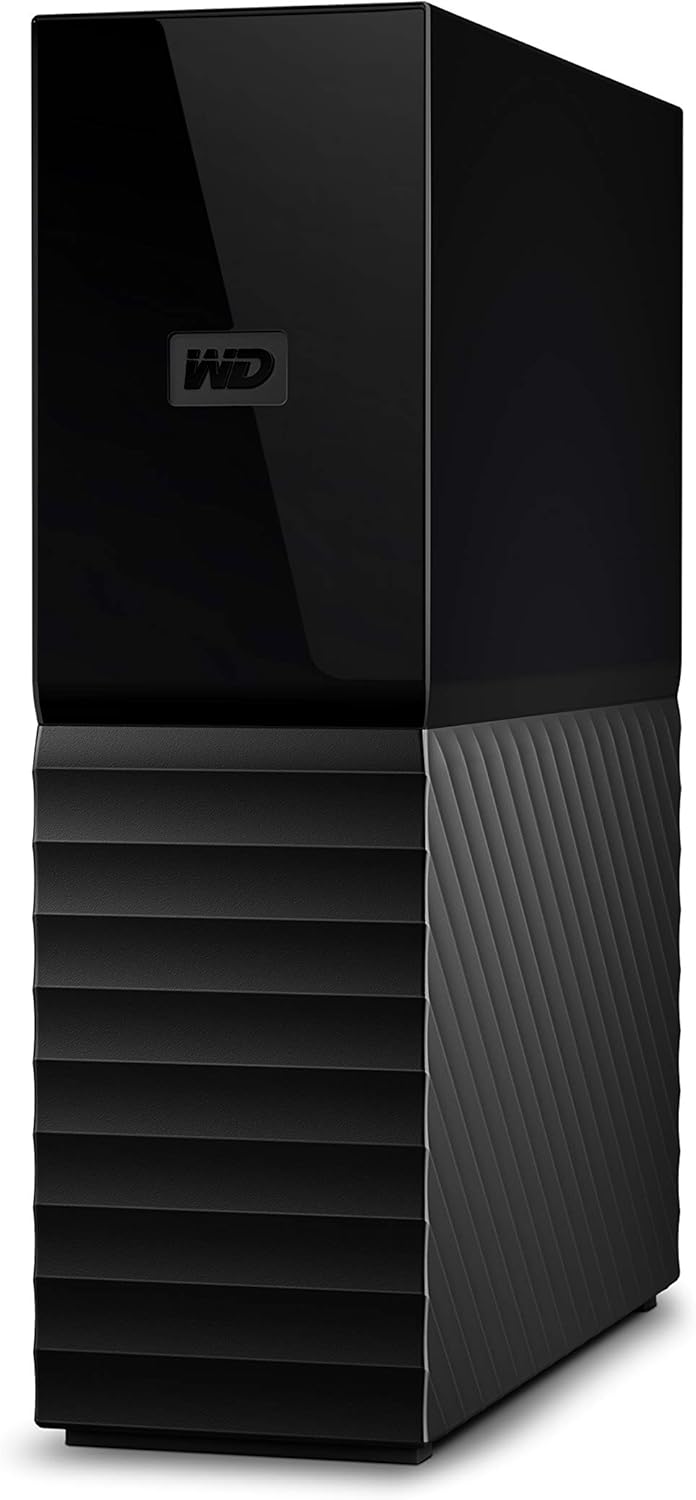
WD 18TB My Book Desktop External Hard Drive - USB 3.0, 256-Bit AES Encryption, Auto Backup Software

WesternDigital
9.6
AmericanReviews.org score rating is a scoring system developed by our experts. The score is from 0 to 10 based on the data collected by the AmericanReviews.org tool. This score doesn't impact from any manufacturer or sales agent websites. We encourage you to write a review of your experiences with these products. Learn more »
Pros & Cons

Pros

  • Enormous 18TB capacity for extensive data storage needs
  • High-speed USB 3.0 connectivity for quick file transfers
  • Built-in hardware encryption and backup software for security
  • Works seamlessly with desktops and Macs
  • Includes device management tools for easy setup

Cons

  • Desktop form factor lacks portability
  • Mechanical drive may be slower than SSD alternatives
  • Software requires separate download and account setup
Detailed Review

The WD 18TB My Book Desktop External Hard Drive is a powerhouse storage solution designed for users who need vast capacity for backups, media libraries, or professional data hoarding. Ideal for desktop PC and Mac owners requiring reliable, secure external storage without compromising on speed or protection, it stands out in the external HDD category for its sheer volume and enterprise-grade features.

Key highlights include a massive 18TB capacity, SuperSpeed USB 3.0 delivering up to 600 MB/s transfer rates, and 256-bit AES hardware encryption for top-tier data security. The included WD software enables automatic backups, password protection, and seamless integration with Time Machine, ensuring your files are both accessible and safeguarded. In real-world use, it handles large file transfers efficiently, making it a go-to for photographers, videographers, and IT professionals.

Build quality is solid with a 3.5-inch mechanical hard disk in a sleek black enclosure, engineered for stability in operating temperatures from 5°C to 35°C. It connects via USB for plug-and-play simplicity, though it requires an external power source typical of desktop drives.

Potential drawbacks include its stationary desktop design, which limits mobility, and the need to download software separately, potentially adding a setup step. Mechanical nature also means it's noisier and more vibration-sensitive than SSDs.

Overall, the WD 18TB My Book earns high marks for delivering unmatched capacity with robust security at a competitive edge, making it a smart buy for serious storage demands.

Specifications

Digital Storage Capacity: 18000 GB

Hard Disk Interface: USB 3.0

Connectivity Technology: USB

Brand: WD

Special Feature: Backup everything with included WD Backup software and Time Machine compatibility

Hard Disk Form Factor: 3.5 Inches

Hard Disk Description: Mechanical Hard Disk

Compatible Devices: Desktop PC, MAC

Installation Type: External Hard Drive

Color: Black

WesternDigital Brand Guide

Brand Overview

WesternDigital excels in the competitive data storage arena, particularly with external hard drives that prioritize capacity, security, and portability. The brand's reputation is bolstered by products like the WD 6TB My Passport Portable External Hard Drive, which boasts a 4.6/5 rating from users praising its reliability and ease of use. What sets WesternDigital apart is the integration of advanced software for backups and defense against ransomware, alongside password protection, making it a go-to for secure data handling.

In categories like data storage under computers and accessories, WesternDigital provides exceptional value through robust build quality and broad compatibility with USB 3.1/3.0. For those seeking solid-state alternatives, explore their presence in SSDs, where they offer high-performance options complementing their HDD lineup.

What to Expect from WesternDigital Products

Across its external hard drive lineup, WesternDigital emphasizes durable construction, high storage capacities up to 6TB, and user-friendly features that simplify data management. The sleek black design of models like the WD My Passport (WDBR9S0060BBK-WESN) is both portable and professional, ideal for on-the-go use without compromising on protection.

Expect plug-and-play compatibility with most computers, automatic backup software, and hardware encryption for peace of mind. These products are best suited for content creators, photographers, gamers, and anyone needing expansive storage beyond internal drives. WesternDigital positions itself in the mid-to-premium range, balancing affordability with premium features. Users often highlight the drive's quiet operation and consistent performance in real-world scenarios. For complementary high-speed needs, their SSDs provide an upgrade path within the same ecosystem.

Target audiences include tech-savvy individuals and businesses requiring dependable external solutions. The brand's focus on defense against modern threats like ransomware positions its products as forward-thinking in an era of increasing cyber risks.

Popular Categories

WesternDigital shines in key data storage segments. In SSDs, they deliver fast, reliable solid-state drives with at least one highly regarded product. Their external hard drives, like the WD 6TB My Passport, dominate with top ratings for capacity and security features, making them favorites for backup and portable storage needs.

These categories showcase the brand's versatility, from high-capacity HDDs for mass storage to SSDs for speed, helping users select based on specific workflows.

Frequently Asked Questions

Yes, WesternDigital is highly reliable, as evidenced by the 4.6/5 rating for the WD 6TB My Passport. Users consistently praise its durability, backup software, and security features like password protection and ransomware defense. It performs well across various devices with USB 3.0/3.1 compatibility.
The WD 6TB My Passport offers 6TB of portable storage in a compact black design, with included backup software and hardware encryption. It defends against ransomware and supports password protection, making it ideal for secure, on-the-go data management.
WesternDigital external hard drives like the My Passport are compatible with both Mac and PC via USB 3.1/3.0 ports. The included software works seamlessly on Windows, and formatting options allow easy use on macOS for broad accessibility.
Yes, WesternDigital products appear in the SSDs category, providing high-speed alternatives to their HDDs. These SSDs complement external hard drives for users needing faster read/write speeds in data storage setups.
WesternDigital drives feature password protection via hardware encryption and backup software with ransomware defense. Models like the WD My Passport ensure data safety, giving users confidence in protecting sensitive files from unauthorized access.